AI Overview
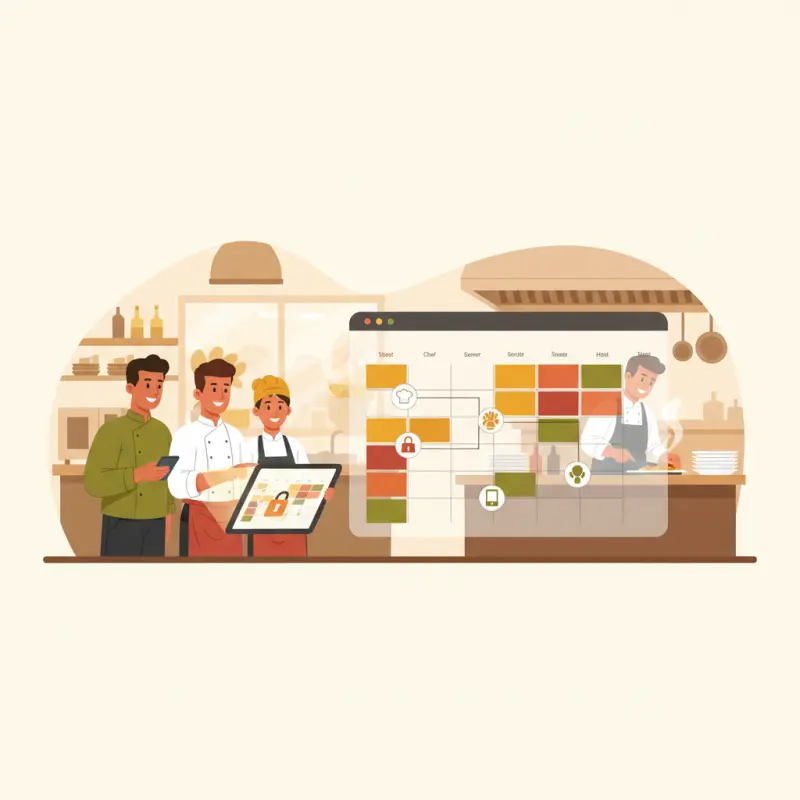
The best restaurant scheduling software prevents scheduling fraud through role-based access control, not calendar features. Most restaurant scheduling platforms offer only three permission levels (admin, manager, staff), but restaurants need eight distinct roles to prevent buddy punching, phantom overtime, and unauthorized refunds that cost the average Moroccan restaurant 2,400 MAD monthly. Systems like OCHI provide granular permissions for each staff position — from cashiers who can process orders but not refunds, to shift managers who can approve overtime but not edit their own schedules. Generic scheduling apps treat everyone equally, creating opportunities for fraud. Restaurant-specific platforms assign permissions based on actual job responsibilities. Choose software that lets you define who can clock in staff, approve schedule changes, and access financial functions. Your scheduling system should protect profits, not just organize shifts.
Table of Contents
The Real Problem: Your Schedule Is Only as Strong as Your Weakest Permission
Your night manager just approved overtime for three staff members who weren't even scheduled. By the time you catch it in payroll, you've lost 1,800 MAD. This happens because most restaurant scheduling software treats permissions like an afterthought — giving everyone the same access level and hoping for the best.
The best restaurant scheduling software isn't about fancy calendars or shift swapping. It's about preventing the quiet theft that happens when staff can game the system. Role-based access control sounds technical, but it's actually about one thing: stopping fake clock-ins, phantom refunds, and unauthorized menu price changes before they drain your profits.
The 2,400 MAD Monthly Leak Most Owners Miss
Walk into any restaurant in Casablanca and ask the owner about scheduling fraud. They'll tell you stories. The server who clocked in their friend for a shift they never worked. The cashier who processed refunds for orders that were never wrong. The shift manager who approved their own overtime every Friday night.
Here's what it costs the average Moroccan restaurant: buddy punching alone accounts for 800 MAD monthly in false wages. Add fake sick days covered by phantom overtime (600 MAD), unauthorized schedule changes (400 MAD), and suspicious refunds during closing shifts (600 MAD). That's 2,400 MAD disappearing every month — enough to hire another part-time cook.
Generic scheduling apps can't catch these schemes because they weren't built for restaurants. They see scheduling as a calendar problem, not a permissions problem. When everyone can edit everything, fraud becomes a feature, not a bug.
Eight Critical Staff Roles Your Restaurant Needs (And Why Most Software Only Gives You Three)
Your restaurant HR software probably offers three roles: admin, manager, and staff. That's like having three keys for a building with eight different doors. Real restaurants need real granularity.
| Role | Can Access | Cannot Access | Why It Matters |
|---|---|---|---|
| Admin (Owner) | Everything | Nothing restricted | Full control and oversight |
| Branch Manager | Staff scheduling, reports, refunds | Payroll settings, menu prices | Manages operations, not finances |
| POS Operator | Order entry, payment processing | Refunds, voids, reports | Handles transactions only |
| Waiter | Table assignments, order status | POS, scheduling, inventory | Service focus without cash access |
| Chef | Kitchen display, inventory levels | POS, customer data, financials | Kitchen operations only |
| Cashier | Cash register, end-of-day reports | Refund approvals, schedule edits | Money handling with limits |
| Delivery Boy | Delivery assignments, GPS tracking | POS, inventory, customer data | Delivery execution only |
| Staff | Clock in/out, view own schedule | Everything else | Basic access for cleaners, helpers |
Last month, a restaurant in Marrakech caught their night cashier processing fake refunds. How? Their restaurant workforce management software flagged that this cashier had suddenly started issuing refunds — something only managers should approve. The audit trail showed 14 suspicious refunds totaling 3,200 MAD over two weeks. With proper role separation, this would have been impossible.
Stack audit
What do you currently use?
Tick what you have. We’ll show what OCHI replaces or connects to.
Why Restaurant HR Software Fails the Audit Test
Ask any restaurant owner who's been audited: the inspector doesn't care about your scheduling features. They care about accountability. Who did what, when, and with whose permission. Most workforce management platforms treat logs as an afterthought — if they keep them at all.
The Paper Trail That Saves Your Business
Every action in your restaurant creates a digital fingerprint. The best payroll software for restaurants tracks more than hours worked — it tracks who approved those hours, from which device, at what time. This isn't paranoia. It's protection.
Consider what a proper audit log captures: Sarah (server) requested schedule change on Tuesday at 14:32 from IP 105.155.2.45. Ahmed (manager) approved at 15:45 from the office terminal. When Sarah later claims she was scheduled but Ahmed says she wasn't, the log settles it instantly.
A Casablanca restaurant recently prevented a 15,000 MAD loss because their system logged every action. The branch manager had been slowly adjusting inventory counts, planning to blame it on calculation errors. But the restaurant labor management system showed his user account making changes at 23:45 — long after his shift ended. Each edit timestamped, each adjustment traced to his login.
The Permission Matrix That Actually Works
Granular control means deciding not just who can see what, but when they can see it. Your afternoon shift waiter shouldn't access morning sales reports. Your chef shouldn't edit customer loyalty points. Your delivery staff shouldn't change menu prices.
Here are the three permissions that only owners should ever control: payroll configuration (hourly rates, overtime rules), menu pricing (item costs, modifiers), and system integrations (accounting sync, payment gateways). Everything else can be delegated with limits.
OCHI's permission system blocks menu edits during active shifts — because why would anyone need to change prices while serving customers? It's these small friction points that prevent big problems. When the system makes fraud harder than honesty, behavior changes.
The Hidden Costs of "Free" Restaurant Workforce Management Software
Free scheduling software is like a free puppy. The upfront cost is zero, but wait until you see the vet bills. These platforms make money somehow — usually by charging per employee, per feature, or per integration.
Platform Fees They Don't Advertise
That free tier? It covers five employees. Your restaurant has 12. Now you're paying 50 MAD per additional employee per month. Quick math: 7 extra employees × 50 MAD × 12 months = 4,200 MAD annually. Want shift swapping? Another 30 MAD monthly. Need API access for your POS? 100 MAD more.
Integration costs compound the problem. When your scheduling system doesn't talk to your POS, someone manually enters data twice. At 20 minutes daily, that's 10 hours monthly of pure waste. At minimum wage, add another 300 MAD to your real cost.
Then comes the switching penalty. Six months in, you realize the limitations. But your data is trapped. Export costs 500 MAD. Staff retraining takes two weeks. Customer confusion during transition costs orders. The "free" solution suddenly costs more than premium options.
Why Zero-Commission Platforms Win Long-Term
OCHI includes staff management in its zero-commission model. No per-employee fees. No feature gates. No integration charges. For a typical Rabat restaurant with 15 employees, this saves 9,000 MAD annually versus per-seat pricing.
The ROI calculation is straightforward. Traditional restaurant scheduling software: 750 MAD monthly (base) + 375 MAD (extra employees) + 200 MAD (integrations) = 1,325 MAD. OCHI: zero commission on orders, all features included. Break-even happens in month three, not month twelve.
More importantly, unified systems prevent fraud better than standalone tools. When your POS, scheduling, and permissions live in one platform, gaps disappear. The cashier can't clock in without manager approval. The waiter can't process refunds without leaving an audit trail. The chef can't adjust inventory without triggering alerts.
Building Your Staff Permission Strategy
Theory is worthless without implementation. Here's how to transform your restaurant's security in 24 hours using any decent restaurant workforce management software — or better yet, a unified platform.
The 24-Hour Implementation Plan
Day one starts with an audit. List every person with system access. Note what they can currently do. You'll find surprises — the part-time server with admin rights, the ex-employee whose account is still active, the delivery driver who can edit menu items.
Week one focuses on role assignment. Create eight distinct roles matching your operations. Assign staff based on primary responsibilities, not seniority. The veteran waiter doesn't need POS admin access just because they've worked there longest.
Month one reveals patterns through audit trails. Which cashier processes the most voids? Why does overtime always spike on Thursdays? Who keeps adjusting inventory counts? Real data from OCHI restaurants in Agadir and Marrakech shows 23% reduction in suspicious activity within 30 days of implementing proper permissions.
Red Flags in Your Current System
If staff can schedule their own shifts without manager approval, you have a problem. If multiple people share admin access "for convenience," you have a bigger problem. If there's no record of who processed refunds or voids, you're hemorrhaging money.
Watch for these warning signs: schedule changes after payroll cutoff, refunds processed during closing hours, inventory adjustments without purchase orders, and overtime approvals by the same person claiming overtime. Each represents a security hole that proper permissions would close.
The solution isn't complex. Platforms like votrenom.ochi.ma handle these gaps from day one with eight pre-configured roles, granular permissions, and detailed audit trails. No setup marathons. No consultant fees. Just immediate protection against the schemes that drain restaurant profits.
The best restaurant scheduling software doesn't just organize shifts. It protects your business from the inside out. Because in the restaurant industry, your biggest threat isn't competition — it's complacency about who can access what. See how role-based security transforms restaurant operations at ochi.ma/partners.
Frequently Asked Questions
What makes restaurant scheduling software different from regular employee scheduling apps?
Restaurant scheduling software includes role-based permissions, POS integration, and fraud prevention features like GPS clock-ins. Regular apps treat all employees equally, while restaurant systems assign specific permissions based on job roles like server, cashier, or manager.
How much does scheduling fraud typically cost restaurants in Morocco?
The average Moroccan restaurant loses 2,400 MAD monthly to scheduling fraud through buddy punching, phantom overtime, and unauthorized schedule changes. This equals the cost of hiring an additional part-time employee.
What are the essential staff roles restaurant scheduling software should support?
Restaurant scheduling software needs at least eight roles: owner, general manager, shift manager, kitchen manager, server, cashier, cook, and delivery driver. Each role requires different permissions for scheduling, POS access, and financial functions.
Can restaurant scheduling software prevent buddy punching?
Yes, through GPS verification, photo clock-ins, and role-based restrictions on who can edit timesheets. The best systems require managers to approve all schedule changes and prevent staff from clocking in colleagues.
Should restaurant scheduling software integrate with POS systems?
Integration is essential for preventing fraud and ensuring accurate labor costs. When scheduling and POS systems connect, owners can track which staff members processed suspicious transactions during their scheduled shifts.
Restaurant owners · Weekly
The guide to running a restaurant in 2026.
One article per week. No commission advice. Just honest operational insight for Moroccan restaurants.

Blog Manager
Comments
No comments yet. Be the first to share your thoughts.