AI Overview
Most free restaurant POS software for iPad systems become expensive within months through transaction fees of 2.5-3.5% per sale and device licensing costs. In Morocco, restaurants using these systems lose MAD 2,750 monthly on transaction fees alone for MAD 100,000 in sales. Popular free iPad POS systems charge MAD 199-299 monthly for additional terminals, making a five-device setup cost over MAD 1,000 monthly. Traditional restaurant POS systems in Casablanca and Agadir often become cheaper than free alternatives once you factor in per-transaction costs, payment gateway fees, and multi-device licensing. The mathematics favor upfront software costs over percentage-based fees for restaurants processing over MAD 50,000 monthly. Calculate your actual POS costs by multiplying monthly sales by transaction fee percentage plus device licensing fees.
Table of Contents
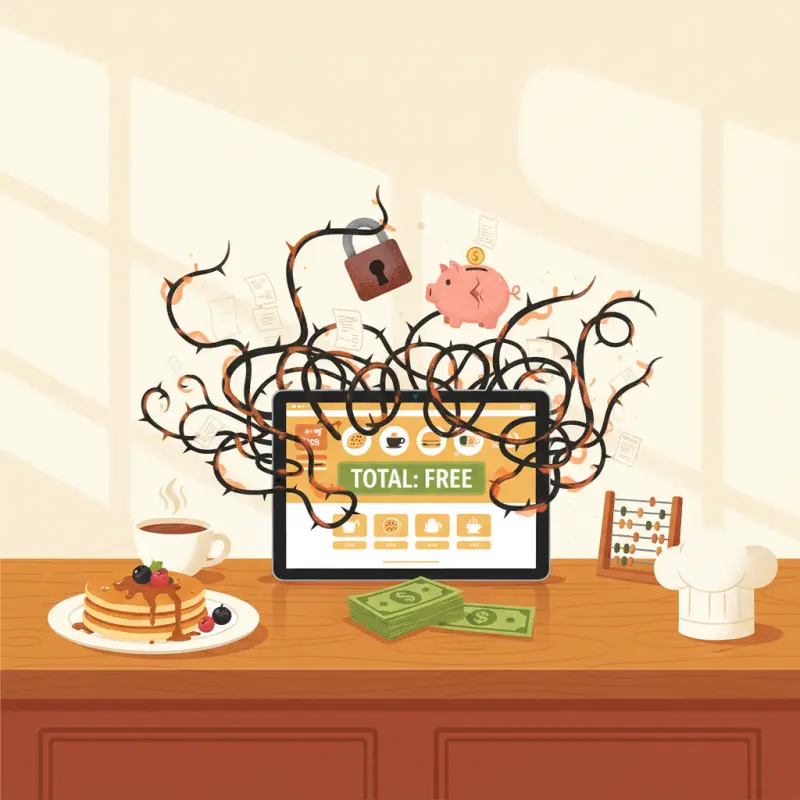
Every month, 3,000 Moroccan restaurant owners download "free" iPad POS software. Within 90 days, 80% are paying more than they would for a premium system. The promise of free restaurant POS software for iPad creates a predictable trap: zero upfront cost, then death by a thousand fees.
The Hidden Subscription Trap in "Free" Restaurant POS Software
Walk into any restaurant in Casablanca's Maarif district and you'll spot the pattern. An iPad at the counter running "free" POS software. A second terminal that costs MAD 299 monthly. Transaction fees eating 2.75% of every sale. The owner started with free restaurant POS software for iPad, now pays MAD 1,500 monthly for basic operations.
The mathematics are brutal. A restaurant processing MAD 100,000 monthly through their "free" POS loses MAD 2,750 to transaction fees alone. Add terminal licenses, payment gateway fees, and suddenly that free system costs more than enterprise software.
Transaction Fees: The Silent Revenue Killer
Transaction fees hide in plain sight. Most free iPad POS systems charge between 2.5% and 3.5% per transaction. On a MAD 150 average ticket, you lose MAD 5.25 per order. Multiply by 50 orders daily, and you're bleeding MAD 7,875 monthly — enough to hire another line cook.
The irony stings. Traditional commission-based delivery platforms charge 15-30% but only on delivery orders. These "free" POS systems tax every single transaction, including cash payments from dine-in customers who've been eating at your restaurant for years.
Per-Device Licensing: When One iPad Becomes Five
Free POS software typically includes one terminal. Need a second iPad for your terrace service? That's MAD 199 monthly. Kitchen display system? Another MAD 299. Waiter handhelds? MAD 99 each. A mid-sized restaurant in Agadir with indoor dining, a terrace, and delivery operations needs minimum five devices.
The licensing model punishes growth. Every expansion — a new section, delivery tablets, manager terminals — triggers another monthly fee. Restaurant owners report spending MAD 800-1,200 monthly just on device licenses for their "free" system.
Feature Lockouts: Why Your "Free" POS Can't Take Orders Online
Here's what free actually means: you can ring up sales and print receipts. Want online ordering? That's the premium tier. Table reservations? Enterprise only. Inventory tracking? Additional module. The features that actually grow your business sit behind paywalls.
An online ordering system free of monthly fees should be standard in 2026. Instead, restaurants pay MAD 500-1,000 monthly to accept orders through their own website. The same goes for table management — basic floor plans might be included, but a free table reservation system that actually prevents double-bookings requires upgrades.
Stack audit
What do you currently use?
Tick what you have. We’ll show what OCHI replaces or connects to.
What Free Restaurant Management Software Actually Includes (And What It Doesn't)
Strip away marketing promises and examine what restaurant management software free tiers actually deliver. The results disappoint. Most cap you at 50 items, 100 transactions monthly, or exclude entire categories of functionality.
Core POS Functions: Order Taking and Payment Processing
Basic free tiers handle simple transactions. You can create orders, apply discounts, and process payments. But dig deeper: no modifier groups, no combo meals, no happy hour pricing. A burger restaurant can't even properly handle "no pickles, add cheese" without upgrading.
Payment processing reveals more limitations. Cash and basic card payments work. Mobile wallets, split payments, partial refunds — all premium features. You're running 2026 operations with 2016 capabilities.
Restaurant Management Software Free Features: Inventory and Staff Management
Inventory tracking in free tiers means manual stock counts. No ingredient-level tracking, no automatic deductions, no low-stock alerts. You know you have 50 chicken breasts. You don't know that yesterday's 80 chicken sandwiches should have used 82 breasts based on waste patterns.
Staff management fares worse. Basic clock-in/out if you're lucky. No shift scheduling, no role-based permissions, no performance tracking. Your restaurant management software free version treats all employees identically — whether they're washing dishes or managing the floor.
Online Ordering System Free Integration: The Make-or-Break Feature
In 2026, restaurants without online ordering are museums. Yet finding an online ordering system free of monthly fees that actually integrates with your POS proves nearly impossible. Free POS software either charges MAD 600+ monthly for online ordering or forces manual order entry.
The workflow breaks immediately. Online orders print on a separate printer. Staff re-enter them into the POS. Inventory doesn't update. Analytics show half your actual revenue. You're running two parallel systems that don't communicate.
Free Table Reservation System Capabilities: Managing Your Floor
Table management in free tiers means a static floor plan. Drag tables around, mark them occupied. That's it. A free restaurant reservation system should prevent double-bookings, send confirmations, manage waitlists. Instead, you get a digital version of a paper chart.
Advanced features like reservation deposits, automatic table assignment, or integration with online ordering remain locked. A busy Marrakech restaurant handling 200 covers nightly needs these tools. They're not luxuries — they're operational necessities.
The Real Cost of Switching POS Systems Mid-Operation
The trap springs shut when you try to leave. Switching POS systems ranks among the most disruptive decisions a restaurant can make. The hidden costs compound: training, data loss, customer confusion, operational stumbles.
Staff Training Hours: 40 Hours Per Employee, Minimum
New POS training isn't a morning meeting. Experienced servers need 20-30 hours to reach previous efficiency. New staff need 40-60 hours. During transition, order times increase 40%, errors spike 300%. Your team fumbles with formerly simple tasks.
A 15-person restaurant team represents 600 training hours. At minimum wage, that's MAD 18,000 in direct costs. Add productivity losses, customer complaints, and manager overtime — the real cost doubles.
Data Migration Disasters: Why 30% of Restaurants Lose Historical Data
POS vendors guard data jealously. Exporting your customer database, transaction history, and menu items often requires enterprise subscriptions or professional services. Even then, 30% of restaurants report losing critical data during migrations.
Lost data means lost customers. Your regulars' preferences vanish. Loyalty points disappear. Email lists evaporate. That customer who orders the same tagine every Friday? Their profile is gone, along with the personal connection you've built.
The Two-Week Revenue Dip During System Changes
Every POS transition follows the same curve. Week one: 25% revenue drop as operations slow. Week two: 15% drop as staff adjust. Week three: recovery begins. The average restaurant loses MAD 35,000 in revenue during POS transitions.
These losses don't include angry customers who won't return. Or the suppliers confused by new purchase order formats. Or the accounting nightmares from split-month reporting. The true cost of escaping a "free" POS system often exceeds a year of premium software fees.
Zero-Commission Restaurant Platforms: A Different Approach to "Free"
OCHI took a different path. Instead of "free with fees," we built a zero-commission platform. Restaurants keep 100% of their revenue. No transaction fees, no device licenses, no feature restrictions. Every restaurant gets the complete platform — POS, online ordering, reservations, and management tools.
Why Commission-Free Beats "Free" Software with Hidden Fees
Commission-free means what it says. A restaurant processing MAD 200,000 monthly keeps all MAD 200,000. No 2.75% transaction fees (saving MAD 5,500). No 20% delivery commissions (saving MAD 8,000 on MAD 40,000 delivery revenue). The math is straightforward — you keep what you earn.
This model aligns incentives correctly. OCHI succeeds when restaurants succeed, not by extracting fees from every transaction. We grow by helping you grow, not by taxing your existing business.
Complete Restaurant Management: POS, Online Orders, and Reservations in One Platform
Integration isn't a premium feature at OCHI — it's the foundation. Orders flow from online to kitchen to delivery without re-entry. Inventory updates automatically. Table reservations block availability across all channels. One system, complete operations.
Your branded ordering site (yourname.ochi.ma) connects directly to your POS. Menu changes reflect instantly online. A free restaurant reservation system that actually prevents conflicts. Kitchen display systems that track every order. No modules, no upgrades, no restrictions.
The Math: Saving 15% Commission on MAD 50,000 Monthly Revenue
Let's calculate real savings. A typical Agadir beachfront restaurant doing MAD 150,000 monthly:
| Cost Category | Traditional "Free" POS | OCHI Platform | Monthly Savings |
|---|---|---|---|
| Transaction Fees (2.75%) | MAD 4,125 | MAD 0 | MAD 4,125 |
| Device Licenses (5 terminals) | MAD 995 | MAD 0 | MAD 995 |
| Online Ordering Module | MAD 599 | MAD 0 | MAD 599 |
| Delivery Commission (15% on MAD 50,000) | MAD 7,500 | MAD 0 | MAD 7,500 |
| Reservation System | MAD 299 | MAD 0 | MAD 299 |
| Total Monthly Cost | MAD 13,518 | MAD 0 | MAD 13,518 |
Annual savings: MAD 162,216. Enough to renovate your dining room or hire two full-time staff members.
Evaluating iPad POS Software: The Checklist Restaurant Owners Actually Need
Before committing to any POS system — free or paid — run this evaluation. Test during peak hours. Involve your staff. Question every fee.
Hardware Requirements: iPad Models and Network Dependencies
Check minimum iPad requirements carefully. Many "free" systems require latest-generation iPads (MAD 4,000+ each) or specific accessories. Cloud-based systems demand reliable internet — one connection drop can halt operations. OCHI works offline and syncs when connected, keeping orders flowing regardless.
Test with your actual hardware. Older iPads might technically run the software but lag during rush hours. Thermal printers might need specific drivers. Card readers might require separate merchant accounts with additional fees.
Integration Testing: Does It Actually Connect to Your Payment Processor?
Payment processing hides the most surprises. That "free" POS might only integrate with processors charging 3.5% + MAD 0.30 per transaction. Switching processors means new contracts, new hardware, new complexity.
Test the complete payment flow. Can you split bills? Process partial refunds? Handle tips correctly? Accept mobile payments? Many free restaurant POS software for iPad options fail these basic requirements without premium upgrades.
Support Response Times: What Happens When Orders Stop Processing?
Friday night, 8 PM. Your POS freezes. Orders pile up. The kitchen stops. How quickly does support respond? Free tiers typically offer email support with 48-72 hour responses. During peak service, that's a death sentence.
OCHI provides 24/7 support because restaurant problems don't follow business hours. When your system stops, you need immediate help, not a ticket number.
The choice facing Moroccan restaurant owners in 2026 isn't between free and paid software. It's between hidden costs that compound monthly and transparent platforms that let you keep what you earn. Download the free trial, sure. But read the fine print, calculate the real costs, and remember — in restaurant software, "free" is often the most expensive option you'll find. See what true zero-commission operations look like at ochi.ma/partners.
Frequently Asked Questions
What hidden costs exist in free restaurant POS software for iPad?
Free iPad POS systems typically charge 2.5-3.5% transaction fees on every sale, monthly licensing for additional devices (MAD 199-299 per terminal), and payment processing fees that can exceed MAD 2,000 monthly for busy restaurants.
How much do transaction fees cost on free iPad POS systems?
Transaction fees range from 2.5-3.5% per sale. A restaurant processing MAD 100,000 monthly pays MAD 2,750 in transaction fees alone, regardless of payment method including cash sales.
Do I need multiple iPad licenses for my restaurant?
Yes, most free POS systems charge per device. A typical restaurant needs separate licenses for counter service, kitchen displays, waiter tablets, and manager terminals, costing MAD 199-299 monthly per additional device.
When does paid POS software become cheaper than free iPad systems?
Paid systems typically become cost-effective for restaurants processing over MAD 50,000 monthly, as fixed monthly fees often cost less than percentage-based transaction fees and device licensing combined.
Restaurant owners · Weekly
The guide to running a restaurant in 2026.
One article per week. No commission advice. Just honest operational insight for Moroccan restaurants.

Blog Manager
Comments
No comments yet. Be the first to share your thoughts.