AI Overview
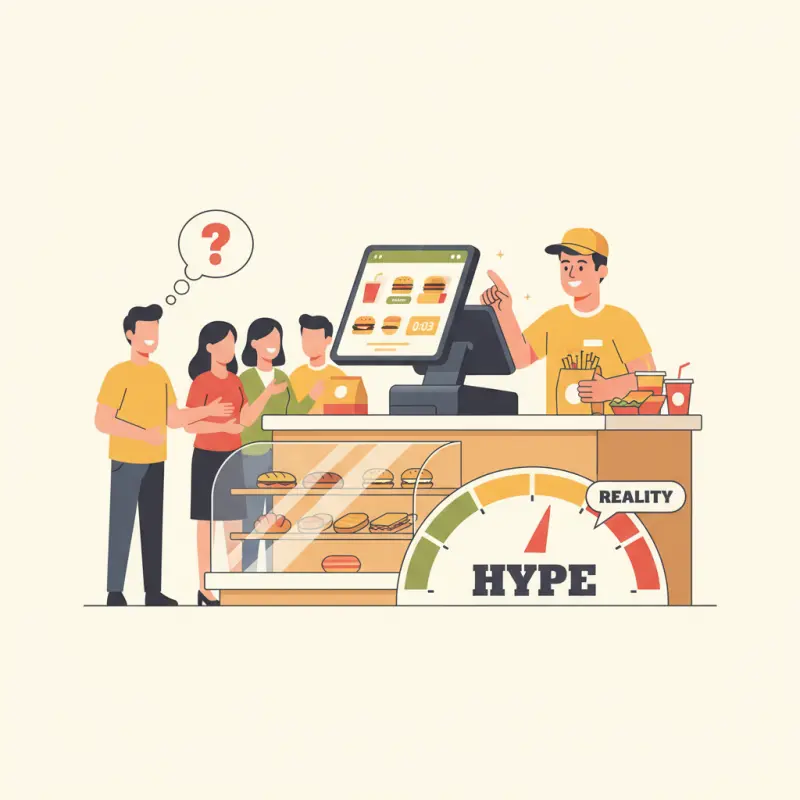
Most QSR POS systems fail to deliver promised speed when restaurants need it most during peak hours. A reliable QSR POS system must handle 50+ concurrent orders without lag, work offline when internet connections fail, and maintain kitchen synchronization to prevent bottlenecks. Cloud-based systems that require constant connectivity create operational freezes when connections stutter, common in Moroccan cities like Casablanca and Agadir. McDonald's and Subway have learned that order input speed means nothing if kitchen capacity can't match front-of-house pace. Complex modifier screens force staff errors under pressure, turning missed customizations into refunds and complaints. High QSR turnover demands intuitive interfaces that new employees can master in days, not weeks. Choose a QSR POS system with offline capability, streamlined workflows, and proven performance during actual rush conditions rather than controlled demos.
Table of Contents
Your QSR runs on seconds. A three-second delay in order processing during lunch rush means lost customers, stressed staff, and revenue walking out the door. Yet most QSR POS systems promise speed they can't deliver when it matters most.
The gap between marketing promises and operational reality kills quick-service restaurants daily. While vendors showcase sleek interfaces and cloud features, restaurant owners in Casablanca struggle with systems that crash under pressure, create training nightmares, and turn "fast casual" into just slow.
The Real Speed Test:
Peak Hour Performance vs. Marketing Claims
Watch any QSR POS system demo and you'll see smooth workflows with single orders. Watch that same system during a Friday lunch rush with 50 concurrent orders, and the story changes. The "lightning-fast" cloud system starts lagging. The touchscreen becomes unresponsive. Orders pile up in the kitchen.
The culprit? Most cloud-based systems rely on constant internet connectivity for every transaction. When your connection stutters — common in many Moroccan cities — your entire operation freezes. Your staff stands helpless while customers wait, tapping their feet.
Order input speed means nothing if your kitchen can't keep pace. A POS that lets cashiers enter orders in 10 seconds creates chaos when those orders hit an unprepared kitchen. The real bottleneck isn't data entry — it's the disconnect between front-of-house speed and back-of-house capacity.
When "Fast Casual" Becomes Just Slow
Speed pressure creates accuracy problems. Staff rushing through complex modifier screens make mistakes. A missed "no onions" becomes a refund. An incorrect combo selection becomes a complaint. Your Yelp reviews tank not because your food is bad, but because your POS interface forces errors.
High staff turnover compounds the problem. The average QSR trains new employees weekly. Complex POS interfaces that require two weeks of practice don't match this reality. Every new hire represents potential order errors and slower service until they master your system's quirks.
Stack audit
What do you currently use?
Tick what you have. We’ll show what OCHI replaces or connects to.
Beyond Burgers: Why Food Trucks and Cafes Need Different Solutions
The one-size-fits-all approach breaks down completely for specialized operations. A cafe POS system handles different challenges than a burger joint. POS systems for food trucks face unique constraints that brick-and-mortar locations never consider.
Food Truck Reality Check:
Offline-First or Offline-Last
Food trucks at events in Agadir Beach lose connectivity regularly. Point of sale systems for food trucks that require constant internet access mean turning away customers when the signal drops. Yet many systems treat offline mode as an afterthought — syncing issues, lost transactions, and reconciliation nightmares follow.
Hardware durability matters when your kitchen moves. Tablets crack. Card readers fail in heat. Battery life becomes critical during 12-hour festival days. The mobility promise of modern POS systems for food trucks often ignores these physical realities.
Cafe Accounting Integration:
The Hidden Cost Nobody Mentions
Cafes process hundreds of small transactions daily. Manual entry into cafe accounting software becomes a full-time job. CSV exports help, but they don't capture the nuance of split payments, tips, and loyalty redemptions.
Real accounting integration means automatic categorization, tax calculation, and daily reconciliation without manual intervention. Most cafe POS system vendors promise this. Few deliver more than basic transaction logs that create more work for your accountant.
| POS Feature | Marketing Promise | Operational Reality | OCHI Approach |
|---|---|---|---|
| Setup Time | 2-4 hours | 2-3 weeks | Same-day with pre-built QSR templates |
| Offline Mode | "Full functionality" | Limited features, sync issues | Complete offline operation, automatic sync |
| Training Required | 30 minutes | 5-10 hours per role | Role-based interfaces, 1-hour training |
| Peak Hour Capacity | "Unlimited" | Degrades after 30-40 orders/hour | Tested at 200+ orders/hour |
The Setup Lie:
Why "Quick Installation" Takes Weeks
Every QSR POS system vendor promises easy setup. The reality in Marrakech restaurants tells a different story. Menu configuration alone takes days — combo meals, modifiers, special requests, seasonal items. Each requires careful programming to avoid order errors later.
Week 1: Hardware Arrives, Reality Sets In
Unboxing hardware is the easy part. Configuring your specific workflow isn't. Does your kitchen need orders grouped by station? How do combo upgrades calculate? What happens when a customer wants to substitute fries for salad? Each decision cascades through your operation.
Staff training amplifies setup delays. The two-hour training promise assumes experienced users and simple menus. Real restaurants need role-specific training: cashiers learn different functions than kitchen staff. Managers need reporting access. Each role multiplies training time.
Payment processor integration adds another layer. Your existing merchant account might not integrate. New hardware might require new agreements. Testing takes days of back-and-forth with support teams across time zones.
The True Cost Calculation
Monthly subscription fees tell half the story. Transaction fees on high-volume QSRs add up quickly. Support calls during setup cost extra. Hardware failures require expensive replacements. Staff overtime during the learning curve hits your bottom line.
The hidden cost that matters most? Lost sales during transition. Every confused transaction, every system crash, every frustrated customer represents revenue you'll never recover. The "affordable" POS becomes expensive when you factor operational disruption.
OCHI's Modular Approach:
Building Your QSR Stack Without the Bloat
OCHI takes a different path. Instead of forcing every feature on every restaurant, the platform lets you activate what you need. Running a food truck? Skip the table management module. Operating a cafe? Add advanced inventory tracking for coffee beans and pastries.
KDS Integration That Actually Reduces Wait Times
The Kitchen Display System syncs with your POS in real-time, showing order status from pending to prepared. But unlike basic implementations, OCHI's KDS understands cooking workflows. Items route to appropriate stations. Prep times calculate based on current kitchen load.
A shawarma restaurant in Casablanca cut average wait times by 40% after implementing OCHI's integrated workflow. Orders flow from QR table scanning directly to kitchen stations. Customers track progress on their phones. Kitchen staff see clear priorities without paper tickets flying everywhere.
The Branded Subdomain Advantage for Multi-Location QSRs
Your customers order from votrenom.ochi.ma — your brand, your domain, your customer relationship. No marketplace fees eating your margins. No third-party branding confusing your customers. Just direct orders flowing to your operation.
Multi-branch management stays simple. One dashboard controls all locations. Branch-specific menus and pricing adjust without affecting others. GPS delivery zones ensure accurate dispatch. The complexity stays hidden while control remains centralized.
Three Questions Your QSR POS Must Answer
Can it handle your peak hour volume without crashes? Load test any system during actual service hours, not demos. Push it hard with concurrent orders, modifier-heavy items, and payment processing. If it slows down with 20 orders, it'll crash with 50.
Does it reduce training time or increase it? Count actual hours from hiring to competent operation. Include the time spent fixing errors made by confused staff. Factor in the cost of customer complaints during the learning period.
Who owns your customer data and ordering relationship? Commission-based platforms build their business on your customers. Your POS should give you direct access to customer data, ordering history, and marketing capabilities without intermediaries.
Speed matters in QSR operations, but sustainable speed comes from systems built for real restaurant workflows, not software demos. Test OCHI's QSR capabilities with your own branded subdomain at votrenom.ochi.ma — no commission fees, no setup complexity.
Frequently Asked Questions
What makes a QSR POS system fast during rush hours?
A fast QSR POS system processes orders without internet dependency, handles 50+ concurrent transactions without lag, and synchronizes seamlessly with kitchen display systems. Offline capability prevents operational freezes when connections fail.
Why do cloud-based QSR POS systems slow down during peak hours?
Cloud-based systems rely on constant internet connectivity for every transaction. When connections stutter or slow down, the entire POS operation freezes, creating bottlenecks during busy periods when restaurants need speed most.
How long should QSR staff training take for a POS system?
QSR POS systems should require maximum three days of training for new staff. Complex interfaces requiring weeks of practice don't match the reality of high turnover in quick-service restaurants.
What causes order accuracy problems in QSR POS systems?
Complex modifier screens and rushed order entry create accuracy problems. Staff under speed pressure make mistakes with customizations, leading to refunds, remakes, and negative customer reviews.
Should QSR restaurants choose local or international POS providers?
Local POS providers often understand regional connectivity challenges and payment preferences better. However, the system's offline capability and proven performance matter more than provider location.
Restaurant owners · Weekly
The guide to running a restaurant in 2026.
One article per week. No commission advice. Just honest operational insight for Moroccan restaurants.

Blog Manager
Comments
No comments yet. Be the first to share your thoughts.