AI Overview
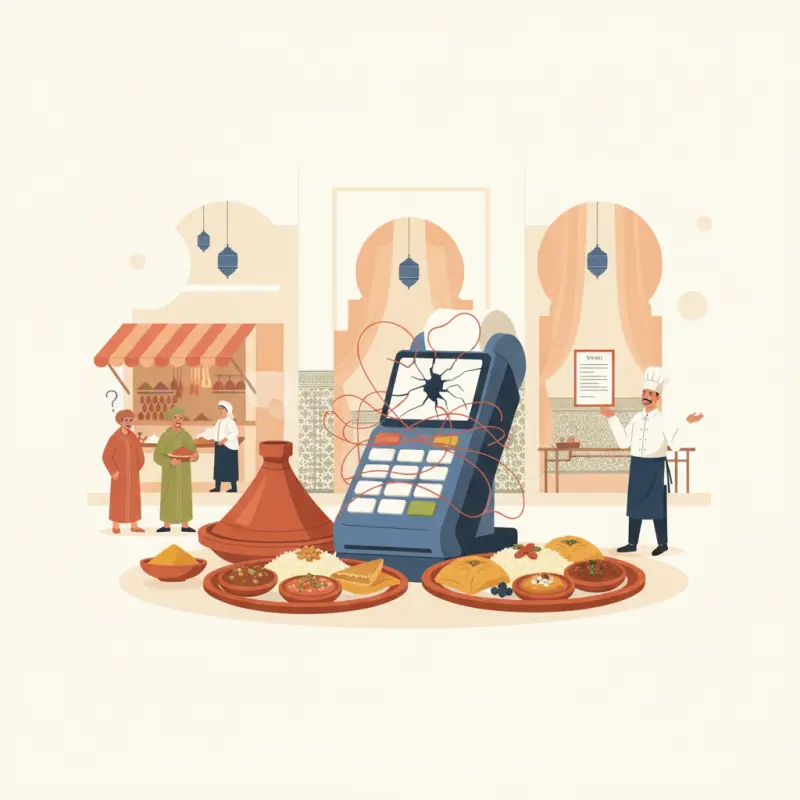
QuickBooks point of sale for restaurants wasn't designed for restaurant operations, creating daily reconciliation problems for Morocco's dining establishments. The software treats restaurants like retail stores, missing critical features like table management, perishable inventory tracking, and Morocco-specific VAT reporting requirements. Restaurant owners spend hours each night reconciling mismatched transaction data between their POS, bank deposits, and QuickBooks imports. Morocco's tax authorities require itemized VAT breakdowns by category and separate service charge documentation that standard QuickBooks exports don't provide. The 10% restaurant VAT rate versus 20% standard rate creates additional complexity. Monthly VAT reporting deadlines on the 20th force owners to manually generate reports the system should create automatically. Consider restaurant-specific POS platforms that handle Morocco's compliance requirements natively rather than retrofitting accounting software for restaurant operations.
Table of Contents
Your accountant calls at 11 PM asking why today's cash doesn't match what QuickBooks shows. You're standing in your Casablanca restaurant, receipts scattered across the counter, trying to explain that the QuickBooks point of sale for restaurants integration missed half your dinner service transactions.
This scene plays out nightly across Morocco's restaurants. The promise of seamless accounting integration meets the reality of manual reconciliation, compliance headaches, and software that treats your restaurant like a retail store.
Why Restaurant Owners Struggle with QuickBooks POS Daily Operations
QuickBooks dominates restaurant accounting conversations, yet most owners discover it wasn't built for their reality. The software assumes you're selling widgets, not managing tables, tracking perishables, and juggling multiple payment types through a dinner rush.
The 11 PM Reconciliation Problem
Every restaurant owner knows this routine. Your POS shows 127 transactions totaling 18,450 MAD. Your bank deposit slip reads 17,890 MAD. QuickBooks imported 124 transactions. Now you're hunting for three missing orders and 560 dirhams.
The daily sales reports don't match bank deposits because credit card tips process separately. Manual entry errors compound when your cashier forgets to close out a tab or splits a bill incorrectly. By week's end, you're spending Sunday morning untangling five days of mismatched data.
Morocco's tax authorities require documentation that QuickBooks doesn't automatically generate. You need itemized VAT breakdowns by category, not just totals. You need reports showing service charges separate from food revenue. Standard QuickBooks exports give you neither.
Morocco's Specific Accounting Requirements
VAT reporting deadlines hit the 20th of each month. Most restaurant owners scramble on the 19th, manually creating reports QuickBooks should generate automatically. The software doesn't understand Morocco's 10% restaurant VAT rate versus the 20% takeaway rate.
Tax audits require three years of detailed transaction logs, including payment method, time stamps, and staff identification. QuickBooks stores this data but accessing it requires custom reports your accountant charges 500 MAD per hour to create.
Generic QuickBooks tutorials assume US tax codes and payment processors. They don't cover CMI integration, local bank reconciliation formats, or the dual-language invoicing requirements for Moroccan businesses.
Stack audit
What do you currently use?
Tick what you have. We’ll show what OCHI replaces or connects to.
The Real Cost of QuickBooks POS Integration for Restaurants
Software vendors quote monthly fees but skip the real implementation costs. Here's what QuickBooks actually costs a Moroccan restaurant in 2026:
QuickBooks POS Pricing Breakdown (2026)
| Cost Component | Initial Payment | Annual Cost |
|---|---|---|
| QuickBooks POS Basic | 0 MAD | 14,400 MAD |
| POS Link Connection | 3,950 MAD | 0 MAD |
| Integration Setup | 8,000 MAD | 0 MAD |
| Transaction Fees (2.5%) | 0 MAD | 45,000 MAD* |
| Support Calls | 0 MAD | 3,600 MAD |
| Data Migration | 12,000 MAD | 0 MAD |
| Total | 23,950 MAD | 63,000 MAD |
*Based on 150,000 MAD monthly revenue
Integration setup requires 8 to 12 hours of restaurant downtime. You close for lunch service while technicians configure terminals, potentially losing 15,000 MAD in revenue.
ROI Reality Check
A 50-seat restaurant in Marrakech needs 18 months to break even on QuickBooks implementation. Daily reconciliation still takes 45 minutes because the software restaurant accounting integration requires manual verification.
Each transaction costs more than advertised. The 2.5% processing fee plus monthly subscription means you pay 47 MAD per 1,000 MAD in sales. Zero-commission platforms like OCHI eliminate these hidden costs entirely.
Time investment compounds the financial burden. Your manager spends seven hours weekly on reconciliation tasks that proper restaurant bookkeeping software automates.
How Modern Restaurant Accounting Software Should Work
QuickBooks treats your restaurant like a store selling shoes. Modern restaurant accounting software understands you're managing perishable inventory, table turnover, and staff tips — not retail transactions.
What QuickBooks Gets Wrong for Restaurants
Inventory tracking assumes products sit on shelves indefinitely. Your lettuce expires in three days. Your bread arrives fresh each morning. QuickBooks doesn't calculate waste percentages or suggest reorder points based on spoilage rates.
Table management doesn't exist in QuickBooks vocabulary. The software can't tell you average cover time, table turnover rates, or revenue per available seat hour — metrics that actually matter for restaurant profitability.
Reports focus on product sales, not restaurant KPIs. You need average ticket size by daypart, not just daily totals. You need server performance metrics, not generic employee timesheets. Restaurant-specific reporting requires expensive third-party plugins.
The Restaurant Bookkeeping Software Requirements List
Real-time sales data export eliminates end-of-night reconciliation. Every transaction flows directly to your accounting software with proper categorization — food, beverages, service charges, and VAT automatically separated.
Multi-location consolidation becomes critical as you expand. Agadir breakfast sales shouldn't mix with Casablanca dinner revenue in your reports. Proper restaurant accounting software maintains branch separation while providing group-level insights.
Staff-level reporting creates accountability. Which server has the highest check average? Who processes the most voids? Accounting software for bars particularly needs detailed pour cost tracking by bartender.
Automatic tax compliance documentation saves your accountant's sanity. Generate VAT returns, employee tax summaries, and audit trails without manual data entry. Our blog covers specific compliance requirements for Moroccan restaurants.
OCHI's Automated Accounting Integration
OCHI eliminates the complexity plaguing QuickBooks point of sale for restaurants implementations. Built specifically for restaurant operations, every feature addresses real workflow challenges.
Daily Sales Export Without Manual Entry
Automatic end-of-day reports flow to your accounting software for bars and restaurants. No manual entry. No missing transactions. No 11 PM reconciliation sessions.
Real-time transaction tracking means your accountant sees live data. They spot discrepancies during service, not after closing. One-click VAT documentation generates compliant reports for Moroccan tax authorities.
Integration with QuickBooks and Xero happens through secure APIs. Your data syncs every 15 minutes, maintaining accuracy without manual intervention. See how OCHI's integration works with your existing accounting setup.
Casablanca Success Story: Restaurant Riad Atlas
Riad Atlas reduced daily closing time from 45 minutes to eight minutes after implementing OCHI. Their previous QuickBooks setup required manual entry of each day's sales, tips, and tax calculations.
Six months later, they report zero reconciliation errors. Every transaction matches between POS, bank deposits, and accounting software. Their accountant reduced monthly billing by 40% due to eliminated data entry tasks.
Tax compliance improved dramatically. Automated reporting ensures 100% documentation for VAT filings. During their recent audit, inspectors praised the clarity of OCHI-generated reports.
Setting Up Your Restaurant for Better Financial Control
Whether you stick with QuickBooks or explore alternatives, these steps improve your financial workflows immediately.
The 30-Day Financial Health Checklist
Week 1: Audit your current POS-to-accounting workflow. Document every manual step between ringing up sales and seeing data in QuickBooks. Count mouse clicks, calculate time spent, identify error points.
Week 2: Document all manual entry points. Where does human intervention create errors? Common culprits include tip reconciliation, split payments, and voided transactions. Each manual touchpoint increases mistake probability.
Week 3: Test automated reporting options. Even within QuickBooks, automation features remain underutilized. Configure rules for common transactions. Set up scheduled reports. Explore integration possibilities with your POS.
Week 4: Calculate the true cost of your current system. Include software fees, transaction costs, staff time, and error correction. Compare this total against modern alternatives offering zero-commission models.
Migration Planning for Moroccan Restaurants
Data backup requires more than copying files. Export detailed transaction histories, customer databases, and inventory records. Store backups in multiple formats — CSV for flexibility, PDF for documentation.
Staff training timelines vary by system complexity. Budget two weeks for new POS adoption, one week for accounting software changes. Schedule training during slow periods to minimize revenue impact.
Compliance documentation transfer needs special attention. Ensure historical VAT reports remain accessible. Maintain audit trails for the required three-year period. New systems must import or reference old data seamlessly.
Restaurant accounting doesn't need to consume your nights. The right system turns financial management from a burden into a business advantage. Get your branded ordering platform at votrenom.ochi.ma and eliminate the complexity of third-party POS integrations entirely.
Frequently Asked Questions
Why does QuickBooks POS miss restaurant transactions?
QuickBooks POS wasn't built for restaurant operations like table splits, multiple payment types, and tip processing. These create sync gaps between your actual sales and what imports into accounting.
Can QuickBooks handle Morocco's restaurant VAT requirements?
No. QuickBooks doesn't automatically separate Morocco's 10% restaurant VAT from 20% standard rates or generate the itemized VAT breakdowns tax authorities require.
What causes daily reconciliation problems with QuickBooks in restaurants?
Credit card tips process separately from sales, manual entry errors accumulate, and bill splits create transaction mismatches between POS data and bank deposits.
Does QuickBooks POS work for Moroccan restaurant compliance?
QuickBooks lacks Morocco-specific features like automatic VAT categorization and service charge separation required for monthly tax reporting deadlines.
Restaurant owners · Weekly
The guide to running a restaurant in 2026.
One article per week. No commission advice. Just honest operational insight for Moroccan restaurants.

Blog Manager
Comments
No comments yet. Be the first to share your thoughts.