AI Overview
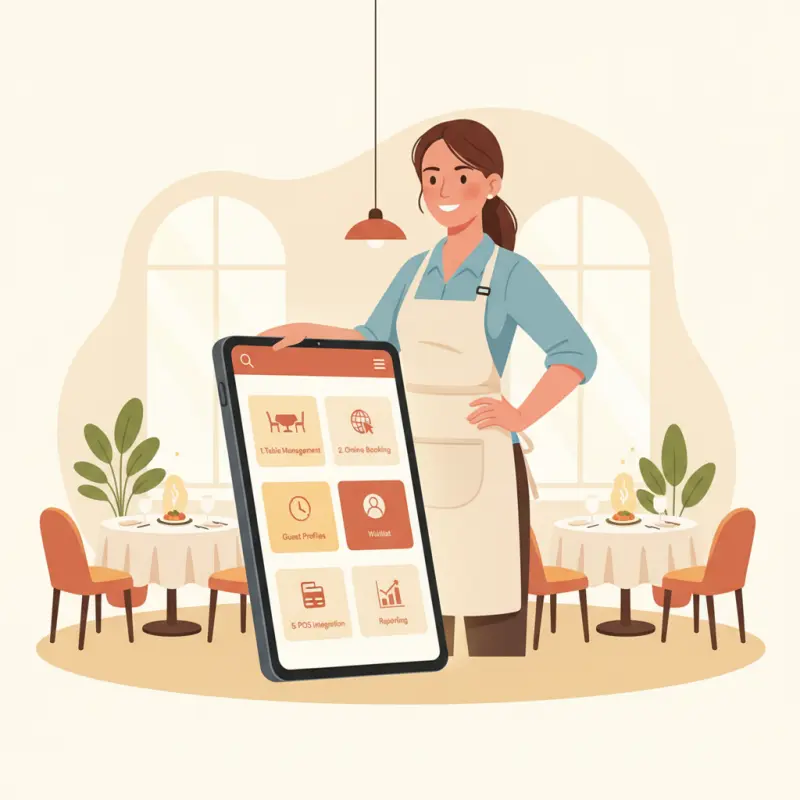
Restaurant owners use five to six core reservation features daily while ignoring expensive add-ons. Any reservation system restaurant owner needs table management (98% daily usage), walk-in management (95%), and guest notes (85%) to drive revenue directly. SMS confirmations cut no-shows by 40%, recovering more lost revenue than complex AI analytics that only 3% of owners actually use. OpenTable and Resy built their platforms around these core functions, not flashy features. Most owners already know their busy nights without predictive algorithms. Focus on systems that show real-time floor plans, track guest preferences, and send automatic confirmation texts. Skip social media integrations and viral booking tools that sound impressive but add operational complexity. Choose a reservation system that excels at the basics rather than one loaded with unused features.
| Feature Category | Daily Usage Rate | Revenue Impact |
|---|---|---|
| Table Management | 98% | Direct - optimizes seating |
| Guest Notes | 85% | Indirect - improves service |
| No-Show Tracking | 72% | Direct - reduces lost revenue |
| SMS Confirmations | 68% | Direct - cuts no-shows by 40% |
| Walk-In Management | 95% | Direct - captures spontaneous diners |
| AI Predictive Analytics | 3% | None - owners ignore it |
Table of Contents
What reservation features do busy restaurant owners actually use daily?
Restaurant reservation systems promise dozens of features, but owners typically use five to six core functions that directly impact service quality and revenue. The rest become expensive digital clutter that complicates operations without adding value.
| Feature Category | Daily Usage Rate | Revenue Impact |
|---|---|---|
| Table Management | 98% | Direct - optimizes seating |
| Guest Notes | 85% | Indirect - improves service |
| No-Show Tracking | 72% | Direct - reduces lost revenue |
| SMS Confirmations | 68% | Direct - cuts no-shows by 40% |
| Walk-In Management | 95% | Direct - captures spontaneous diners |
| AI Predictive Analytics | 3% | None - owners ignore it |
The three features that drive revenue
Table management sits at the heart of any reservation system restaurant owner needs. Real-time floor plans show which tables are occupied, reserved, or turning soon. This visibility prevents double-bookings and helps staff seat walk-ins efficiently during busy periods.
SMS confirmations cut no-shows by 40% on average. A simple text sent two hours before the reservation reminds guests and gives them a chance to cancel if plans change. This basic feature recovers more revenue than any predictive algorithm.
Guest notes transform service quality. Knowing a regular customer prefers corner tables or that Table 12 is celebrating an anniversary lets staff deliver personalized experiences. These details build loyalty worth more than any marketing campaign.
The features that sound impressive but collect dust
AI-powered demand forecasting sounds revolutionary until you realize most restaurant owners already know Tuesday is slow and Saturday fills up. Complex analytics dashboards with 30 metrics overwhelm operators who need simple answers: How many covers tonight? Any large parties? Who hasn't shown up?
Social media integration for "viral booking experiences" ignores how people actually make reservations. They call, visit your website, or book through Google. Building Instagram-worthy reservation widgets wastes development resources on features customers won't use.
Automated table optimization algorithms assume every restaurant runs like a factory. Independent restaurants thrive on flexibility — regulars get their favorite booth, large parties might push tables together, and the owner makes judgment calls algorithms can't replicate.
Integration with your existing POS matters more than fancy booking widgets
Reservations that don't sync with your POS create double work. Staff enter guest details into the reservation system, then manually transfer them to the POS for ordering. This redundancy slows service and increases errors during rush periods.
OCHI's unified platform eliminates this friction. Reservations flow directly into the POS, table assignments update automatically, and guest preferences carry through to the order screen. One system, one source of truth, zero duplicate entry.
Integration also enables accurate reporting. When reservations connect to sales data, you see which booking channels drive the highest check averages and which time slots generate the most revenue per table.
Demand heatmap
When do Moroccan restaurants get busy?
Typical demand across the week. Iftar shifts the pattern during Ramadan.
| 7h | 10h | 12h | 15h | 19h | 22h | |
|---|---|---|---|---|---|---|
| Mon | ||||||
| Tue | ||||||
| Wed | ||||||
| Thu | ||||||
| Fri | ||||||
| Sat | ||||||
| Sun |
How much does reservation software really cost beyond the monthly fee?
Advertised prices tell half the story. The true cost of implementing a reservation system restaurant owner includes setup time, staff training, transaction fees, and integration expenses that vendors bury in fine print.
Setup and training costs (the 2-week reality)
Initial setup consumes 15-20 hours for a typical 50-seat restaurant. Inputting floor plans, configuring time slots, setting party size limits, and creating booking rules takes longer than sales teams admit. At $50 per hour for manager time, that's $1,000 in labor before accepting the first reservation.
Staff training adds another hidden cost. Each server needs 2-3 hours to learn the interface, practice common scenarios, and understand integration points with existing systems. For a 10-person team, budget 30 hours of training time plus the productivity dip during the learning curve.
Many providers charge "onboarding fees" ranging from $500 to $2,500. They position this as white-glove service, but it's often just basic setup any motivated owner could handle with decent documentation.
Per-reservation fees that add up
Transaction fees hide the real cost of "affordable" reservation platforms. A $29 monthly fee looks attractive until you discover each booking costs $0.25 to $2.00 extra. A restaurant handling 1,000 reservations monthly could pay $500 in fees on top of the base subscription.
Some platforms charge "convenience fees" to diners, which technically doesn't cost the restaurant money but creates friction. Customers comparing restaurants might choose competitors who don't tack on booking charges.
Premium features like SMS confirmations often cost extra — typically $0.10 to $0.15 per message. Sending confirmations and reminders to 1,000 monthly reservations adds $200-300 to your bill.
Integration costs with your POS system
POS integration quotes range from "included" to $5,000 depending on your systems' compatibility. Even "included" integrations often require professional services to configure properly. Budget 10-20 hours of IT consulting at $150 per hour.
Ongoing maintenance costs surprise owners who expect set-and-forget functionality. When either system updates, integrations can break. Troubleshooting disconnected systems during Saturday dinner rush costs more in lost revenue than any monthly fee.
Some reservation platforms charge monthly "connector fees" for maintaining integrations. These $50-200 monthly charges turn affordable solutions expensive, especially when connecting multiple systems.
OCHI's transparent pricing model
OCHI includes reservations in its Growth plan at 290 MAD per month (approximately $29). No per-booking fees. No SMS charges. No integration costs because reservations are built into the platform alongside POS and kitchen management.
This unified approach eliminates hidden costs. Setup happens once across all features. Staff train on one system. Updates never break integrations because there's nothing external to integrate. See ochi.ma/pricing for current plans.
Why most reservation systems fail small independent restaurants
Reservation platforms build for chain restaurants with dedicated hosts, multiple phone lines, and full-time managers. These assumptions doom independent operators who juggle hosting, cooking, and managing between service tasks.
The chain restaurant bias in feature design
Complex host stand interfaces assume someone stands at the podium throughout service. Multi-screen dashboards with real-time analytics make sense when corporate monitors performance metrics. For owner-operators checking reservations between plating dishes, these interfaces create confusion instead of clarity.
Approval workflows that route special requests through management hierarchies ignore independent restaurant reality. The owner who takes the reservation call also cooks the food and might even deliver it. They need instant decisions, not delegation chains.
Standardized booking rules work for chains with identical dining rooms nationwide. Independents need flexibility — accepting a six-top at a four-person table when it's slow, or blocking online reservations during special events they're still planning.
What happens when you don't have a dedicated host
Phone calls interrupt service when no one manages the host stand full-time. The bartender answers while making cocktails, quickly scribbles details, and hopes they remember to enter the reservation later. This multitasking leads to double-bookings and frustrated guests.
Digital reservation requests pile up unnoticed. Without someone monitoring the system continuously, online bookings sit unconfirmed while guests assume they have tables. The first sign of trouble comes when angry parties arrive to find no record of their reservation.
Walk-in management becomes chaotic. Chain restaurants use complex queuing systems with buzzers and wait time algorithms. Independent operators need simple solutions — a quick glance showing open tables and upcoming departures.
Simple solutions that work for owner-operators
Mobile-first interfaces let staff check and update reservations from anywhere. Table-side modifications, quick booking confirmations, and at-a-glance availability work better than desktop-bound dashboards.
Automated confirmations handle routine communication without staff intervention. SMS reminders, booking confirmations, and waitlist updates run automatically, freeing owners to focus on service instead of phone calls.
Visual table management replaces complex status screens. Color-coded floor plans showing occupied, reserved, and turning tables give instant situational awareness. OCHI's dining area management handles this elegantly within the same app used for orders and payments.
Should you build reservations into your existing platform or add another system?
The integration question paralyzes restaurant owners choosing between unified platforms and best-of-breed solutions. Neither approach is universally correct, but most vendors push their preference without explaining the tradeoffs.
The integration nightmare most providers ignore
Separate systems create data silos. Guest preferences live in the reservation platform while order history sits in the POS. Servers can't see that tonight's reservation guest always orders wine, affecting both service quality and revenue.
Manual synchronization wastes hours daily. Staff update table status in the reservation system, then update it again in the POS. During busy services, these systems drift out of sync, causing confusion about which tables are actually available.
Technical failures multiply with each integration point. When the reservation system can't reach the POS, or the POS can't push updates back, operations revert to paper and memory. These failures always happen during the busiest services.
When a unified platform makes sense
Single-vendor solutions shine for restaurants prioritizing simplicity over feature depth. One login, one support number, and one monthly bill simplify operations for teams already stretched thin.
Unified platforms enable capabilities impossible with separate systems. When reservations, POS, and kitchen displays share data, you can automatically pace the kitchen based on reservation flow or flag VIP guests across all touchpoints.
Training becomes dramatically simpler. New staff learn one interface that handles all operations. Context switching between different systems slows experienced staff and confuses new hires.
OCHI's built-in reservation system advantage
OCHI treats reservations as part of the operational flow, not a separate function. Book a table, and the system prepares for that guest across all modules. Guest notes appear on kitchen tickets. Dietary preferences flag automatically. Previous orders inform recommendations.
The unified data model eliminates integration complexity. There's no API to maintain, no synchronization delays, and no compatibility issues after updates. Reservations exist in the same database as orders, inventory, and customer profiles.
This approach particularly benefits small teams. The same device that runs POS handles reservations. The same login accessing the kitchen display manages bookings. One system to learn, maintain, and rely on during service.
Three questions to ask before choosing any reservation system
These questions cut through feature lists to reveal which reservation system restaurant owner situations actually benefit from each approach.
1. Who answers the phone during Friday dinner rush?
If you have dedicated hosts, complex reservation systems with advanced queuing make sense. If the bartender or owner grabs calls between tasks, you need maximum simplicity. Mobile-friendly interfaces and automated confirmations become non-negotiable.
This question also reveals your true reservation volume. Restaurants taking 10 bookings nightly need different tools than those managing 100. Overkill systems slow down low-volume operations.
2. How many other systems do you currently juggle?
Count every login your team uses: POS, scheduling, inventory, accounting, delivery tablets. Each additional system multiplies complexity and potential failure points. If you're already managing five or more platforms, adding another reservation system might break your operational flow.
Consider integration realities. That "seamless POS integration" might require IT consultants, monthly fees, and regular maintenance. If your current tech stack barely holds together, adding complexity could trigger cascading failures.
3. What's your actual technology budget including hidden costs?
Calculate total cost: monthly fees, per-reservation charges, SMS costs, integration setup, staff training time, and ongoing maintenance. Compare this to simpler alternatives that include reservations within existing platforms.
Factor in opportunity cost. Hours spent managing separate systems could improve service quality or menu development. Sometimes paying slightly more for an integrated solution saves money by freeing owner time for revenue-generating activities.
Modern restaurants need reservation capabilities, but they don't need unnecessary complexity. The best system disappears into your operational flow, surfacing the right information at the right moment without demanding constant attention. Whether that comes from a standalone platform or an integrated solution like OCHI depends on your specific constraints and priorities.
See what OCHI can do for your restaurant at ochi.ma/partners.
Frequently Asked Questions
How much do restaurant reservation systems really cost?
Beyond monthly fees ranging from $29-299, expect hidden costs: setup (15-20 hours), staff training (3 hours per employee), per-booking fees ($0.25-2.00), SMS charges ($0.10-0.15 per message), and POS integration ($0-5,000). A typical 50-seat restaurant might spend $2,000-3,000 in the first month beyond subscription costs.
What's the difference between standalone and integrated reservation systems?
Standalone systems offer specialized features but require separate logins, manual data synchronization, and complex integrations. Integrated platforms like OCHI include reservations alongside POS and kitchen management in one system, eliminating duplicate data entry and reducing training time. The choice depends on your current tech stack complexity and staff capabilities.
Which reservation features do restaurants actually need?
Essential features include real-time table management, SMS confirmations (reduces no-shows by 40%), basic guest notes, and walk-in handling. Most restaurants never use AI forecasting, social media integrations, or complex analytics. Focus on tools your staff will use during service, not impressive-sounding features that complicate operations.
Why do reservation systems fail at independent restaurants?
Most reservation platforms assume chain restaurant operations with dedicated hosts and full-time managers. Independent restaurants need mobile-friendly interfaces for multitasking owners, simple visual table management, and automated confirmations that run without monitoring. Complex host stand interfaces designed for chains confuse staff juggling multiple responsibilities.
Is OCHI's built-in reservation system sufficient for restaurants?
Yes. OCHI's Growth plan includes online table booking, time slot management, automated confirmations, guest notes, and visual table management integrated with POS and kitchen systems. At 290 MAD monthly with no per-booking fees, it handles the core reservation needs of most independent restaurants while eliminating integration complexity.
Restaurant owners · Weekly
The guide to running a restaurant in 2026.
One article per week. No commission advice. Just honest operational insight for Moroccan restaurants.

Blog Manager
Comments
No comments yet. Be the first to share your thoughts.