AI Overview
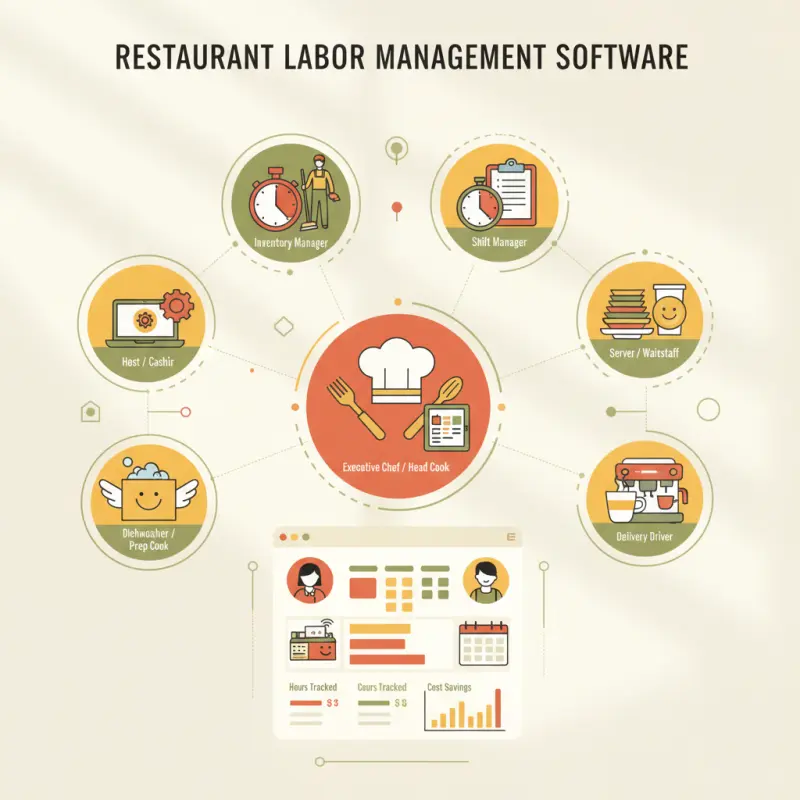
Restaurant labor management software should prioritize access control over scheduling features. Most systems fail because they give every employee full POS access, leading to systematic theft that costs more than turnover. In Morocco, restaurants lose 8% of food costs when staff can change prices, void orders, or access sensitive data without restrictions. OCHI's eight-role system limits access based on job function — servers handle orders, managers access reports, cashiers process payments. This prevents the €2,400 losses seen in Casablanca when cashiers issue fake refunds. Control who touches your till, change prices, or view customer data.
Table of Contents
A Casablanca restaurant owner discovered her cashier had been issuing fake refunds for three months — pocketing €2,400. Her restaurant labor management software showed perfect attendance records, but couldn't track who touched the till.
Most restaurants think labor problems mean scheduling conflicts or payroll headaches. The real drain on your profits happens when staff have unlimited system access. When everyone can void orders, change prices, or issue refunds, you're running blind.
The Real Problem Behind Restaurant Labor Issues
Restaurant owners obsess over scheduling. They compare restaurant hr software features, hunt for the best payroll software for restaurants, and still lose money daily. Why? Because they're solving the wrong problem.
Your biggest labor cost isn't overtime or no-shows. It's the €50 here, €100 there that disappears when staff have too much system access. Every waiter who can change prices. Every server who can delete orders. Every shift manager who can access reports they don't need.
Why Staff Turnover Isn't Your Biggest Labor Problem
High turnover hurts, but systematic theft hurts more. A server who quits costs you training time. A cashier with admin access costs you inventory, cash, and customer trust.
Consider what happens in most Moroccan restaurants. New hire joins. Gets full POS access on day one because "that's how we've always done it." Six months later, you're wondering why food costs are up 8% with no menu changes.
The Data Breach Hiding in Plain Sight: Unlimited POS Access
Customer payment data. Personal information. Order histories. When every employee can access everything, you're one disgruntled worker away from a reputation crisis.
Modern restaurant workforce management software isn't just about schedules — it's about protecting your business from internal threats while making operations smoother.
Stack audit
What do you currently use?
Tick what you have. We’ll show what OCHI replaces or connects to.
The Eight Roles Every Restaurant Needs (And Why Most Software Gets This Wrong)
OCHI breaks restaurant access into eight distinct roles. Not because we love complexity, but because real restaurants need real control:
| Role | Core Access | What They Can't Do |
|---|---|---|
| Admin | Everything | Nothing restricted |
| Branch Manager | Branch operations, reports, staff | Delete payment methods, change platform settings |
| POS Operator | Orders, payments, basic reports | Modify prices, access cost data |
| Waiter | Tables, orders, bills | Process refunds, view reports |
| Chef | Kitchen display, order status | Access POS, handle payments |
| Delivery Boy | Assigned orders, GPS updates | See other deliveries, access system |
| Cashier | Payments, cash drawer | Void without manager, change prices |
| Staff | Basic clock in/out | Access any operational data |
Admin vs. Manager vs. Server: Where to Draw the Lines
Your admin sees everything — costs, margins, supplier data. Branch managers handle day-to-day operations but can't delete payment records. Servers? They take orders and process simple payments. Nothing more.
This isn't about trust. It's about removing temptation and creating clarity. When roles are clear, work flows better.
Shift Management Beyond Schedules: Permission Windows
The best restaurant scheduling software does more than assign shifts. It controls what each person can do during their shift. Morning cashier can't access night reports. Delivery drivers can't see kitchen operations.
OCHI's shift-based permissions mean your 2 PM waiter can't clock in at 10 AM and start taking orders. Simple logic that saves thousands.
The Audit Trail That Saves Your Bottom Line
Every action logged. Every refund traced. Every discount tagged to an employee. When irregularities appear, you know exactly who, what, when.
Per-employee history isn't about playing detective. It's about patterns. That server who always has 20% more voids than others? Worth a conversation.
The Casablanca Café Case: How Access Control Caught a €2,400 Monthly Leak
Yasmine ran a successful 80-seat restaurant near Mohammed V Square. Good location, loyal customers, consistent revenue. Except her numbers never quite added up.
The Pattern That Payroll Software Missed
Her existing restaurant labor management software showed perfect records. Ahmed, the night cashier, never missed a shift. Always on time. Customer complaints? Zero.
But OCHI's audit trail revealed something her payroll system couldn't: Ahmed issued refunds every Thursday and Friday night. Small amounts — €20 to €40. Always during rush hours when Yasmine was managing the kitchen.
Three months of data showed 142 suspicious refunds. Total damage: €2,400. The pattern was clear once she could see per-employee transaction history.
How Eight-Role Structure Prevented Future Losses
Yasmine restructured access immediately. Cashiers could no longer issue refunds without manager approval. Refund requests now require a reason code and customer details.
Result? Refunds dropped 78% overnight. Not because customers were happier — because fake refunds stopped.
Per-Employee History: The Feature That Pays for Itself
Every employee now has a digital fingerprint. Orders taken, payments processed, modifications made. Managers can spot irregularities in minutes, not months.
One Rabat pizzeria found their top server was giving friends 30% discounts. Another in Fès discovered kitchen staff were marking paid orders as "customer cancelled" and taking the food home.
What Restaurant Workforce Management Software Actually Costs You
Moroccan restaurants lose an average of 2.5% of revenue to internal theft. For a restaurant doing 100K MAD monthly, that's 30K MAD yearly — gone.
Commission Fees: The Labor Cost Nobody Tracks
Traditional platforms charge 25% to 35% commission. On 100K MAD monthly delivery revenue, you're paying 30K MAD in fees. That's a full employee's salary.
These platforms also control your labor data. Want detailed reports? Extra fee. Need API access? Premium plan. Your own data, behind a paywall.
The True Price of "Free" Restaurant Scheduling Software
| Software Type | Monthly Cost | Hidden Costs | Annual Impact |
|---|---|---|---|
| Commission Platform | "Free" | 30% of revenue | 360K MAD |
| Traditional POS | 2,500 MAD | Per-terminal fees, updates | 45K MAD |
| Scheduling Only | 500 MAD | No integration, double entry | 12K MAD + time |
| OCHI | 1,000 MAD | None | 12K MAD |
OCHI's Zero-Commission Model: The Numbers
Pay once, monthly. Keep 100% of your revenue. Every feature included — POS, scheduling, permissions, reports. No per-user fees. No transaction charges.
A Marrakech restaurant group saved 280K MAD in their first year just by eliminating commissions. That funded their second location.
Setting Up Role-Based Access in 15 Minutes
Getting started with proper restaurant workforce management software isn't complicated. OCHI's setup guides you through each step.
Your First Four Roles: Start Here
Begin simple. Create four roles: Owner (you), Manager, Cashier, Server. Assign basic permissions. You can always add Chef, Delivery, and others later.
At votrenom.ochi.ma, the role setup takes three clicks per position. Choose the role, set permissions, assign to employees. Done.
Training Staff on New Permissions
Change creates resistance. Frame it positively: "This protects you from accusations and makes your job clearer." Show them exactly what they can access.
Print permission cards for each role. Post them in the staff room. When someone asks "Can I do X?" the answer is on the wall.
From Setup to Your First Audit Report
Within one week, you'll see patterns. Which servers handle the most tables. Which cashiers process fastest. Where bottlenecks occur.
The audit report becomes your weekly health check. Five minutes every Monday morning tells you more than any scheduling software could.
Restaurant labor management software solves more than scheduling. It protects your revenue, clarifies operations, and creates accountability. When every dirham counts, can you afford not to control who touches your money?
See how role-based access transforms restaurant operations at ochi.ma/partners — or explore more insights on our blog.
Frequently Asked Questions
What is restaurant labor management software?
Restaurant labor management software controls staff access to POS systems, schedules, and operational data. It assigns specific permissions based on job roles rather than giving everyone full system access.
Why do restaurants need role-based access control?
Unlimited POS access leads to systematic theft and data breaches. When every employee can void orders, change prices, or issue refunds, restaurants lose money daily through unauthorized transactions.
How many staff roles should a restaurant have?
Most restaurants need eight distinct roles: server, cashier, kitchen staff, shift manager, general manager, owner, accountant, and delivery driver. Each role should have specific system permissions.
What costs more: staff turnover or unlimited system access?
Unlimited system access costs more than turnover. A server who quits costs training time, but a cashier with admin access can systematically steal thousands through fake refunds or voided orders.
How does OCHI prevent restaurant theft through labor management?
OCHI assigns eight specific roles with limited permissions. Servers handle orders, managers access reports, cashiers process payments. No employee gets unnecessary system access that enables theft.
Restaurant owners · Weekly
The guide to running a restaurant in 2026.
One article per week. No commission advice. Just honest operational insight for Moroccan restaurants.

Blog Manager
Comments
No comments yet. Be the first to share your thoughts.