AI Overview
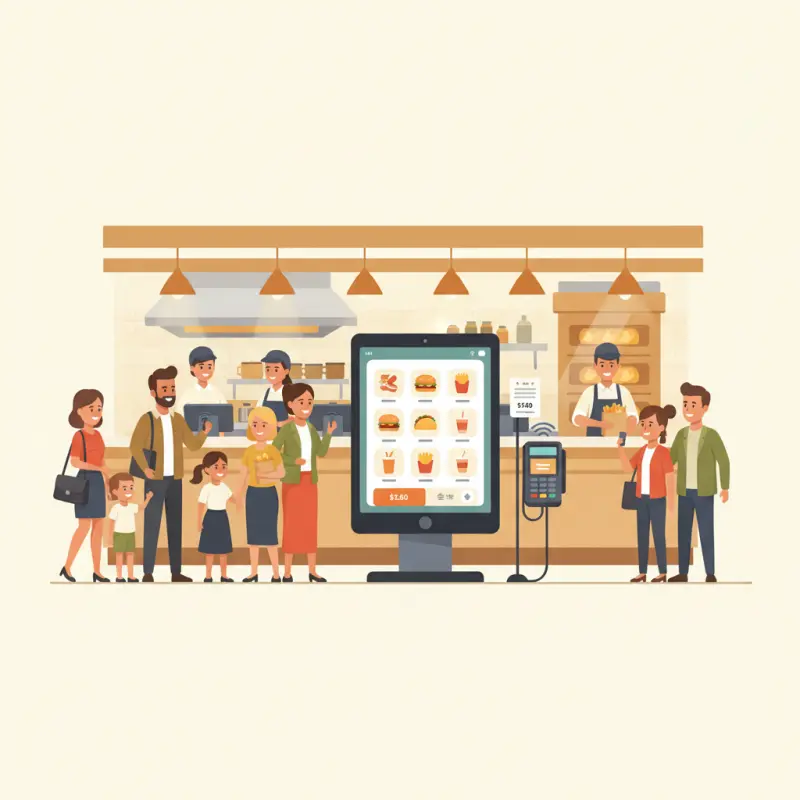
The best quick service POS system maintains sub-second response times even during peak hours with 200+ orders per hour. Speed matters more than features when your average order delay compounds into operational failure. Systems must handle payment processing, kitchen routing, and inventory updates simultaneously without lag. Café Atlas in Agadir processes 200 customers in 45 minutes using a system that never crashes at peak volume. Most POS failures occur during Friday lunch rush when WiFi struggles under 50 simultaneous connections. The three-second rule applies: cashiers need order confirmation within three seconds or customers start doubting system reliability. Kitchen display systems that lag five seconds behind order processing create bottlenecks no staff training can fix. Choose a POS system tested at your expected peak volume before implementation.
Table of Contents
Every afternoon at 1:15 PM, Café Atlas in Agadir serves 200 customers in 45 minutes. Their POS system used to crash at order 87.
Finding the best quick service POS system isn't about features — it's about surviving your busiest hour without losing a single order. Most restaurant owners discover this truth after their system fails during Friday lunch rush, when switching costs time and revenue they can't afford to lose.
Speed Under Pressure:
Why Most POS Systems Fail During Rush Hours
Quick service restaurants live and die by transaction speed. When your average order takes 30 seconds longer than it should, those seconds compound into angry customers and lost revenue.
The operational reality most POS vendors ignore: during peak hours, your system processes more than orders. It handles payment authorizations, kitchen routing, inventory deductions, and staff permissions — all while your WiFi struggles under the load of 50 simultaneous connections.
The 3-Second Rule That Makes or Breaks QSR Operations
Your cashier has three seconds to confirm an order before the customer starts wondering if the system froze. This isn't arbitrary — it's the threshold where doubt creeps in and lines start forming.
Watch any successful quick service counter during rush hour. Orders flow in a rhythm: tap, confirm, print. When that rhythm breaks — when the screen lags or payment processing hangs — the entire operation stutters. One frozen terminal creates a cascade that backs up your kitchen, frustrates your staff, and costs you customers who walk away from the line.
The best quick service POS system maintains sub-second response times even at 200 orders per hour. Anything slower creates friction that compounds into operational failure.
When Kitchen Displays Can't Keep Up with Order Volume
Your POS might process orders quickly, but if your kitchen display system lags five seconds behind, you've created a bottleneck that no amount of staff training can fix. During peak service, those five seconds mean your kitchen works from outdated information, preparing orders in the wrong sequence.
Traditional kitchen displays refresh every 10-15 seconds. At 150 orders per hour, your kitchen staff sees order updates in batches rather than real-time flow. They can't prioritize efficiently. They can't see modifications immediately. They work harder to produce worse results — not because they lack skill, but because their tools fail them when it matters most.
Why WiFi Dependency Kills Speed (And What Actually Works)
Most cloud-based POS systems promise flexibility but deliver fragility. When your internet stutters — and in Marrakech's medina, it stutters daily — your entire operation stops. Orders can't process. Payments won't authorize. Your expensive POS becomes an expensive paperweight.
Hybrid systems that cache locally and sync when possible offer the only reliable solution. They process orders offline, queue payments for authorization, and maintain full functionality regardless of connection status. Your cafe POS system should never depend entirely on infrastructure you don't control.
Stack audit
What do you currently use?
Tick what you have. We’ll show what OCHI replaces or connects to.
The Hidden Costs That Eat Your Margins
That "$49 monthly" POS subscription is a lie. Not a deliberate one, perhaps, but a lie nonetheless. The real cost emerges only after implementation, hidden in transaction fees, integration charges, and operational inefficiencies.
Transaction Fee Math:
How 2.9% Becomes 8% of Your Actual Profit
Here's the math vendors hope you won't do. Your quick service restaurant runs on thin margins — typically 6-9% net profit. When payment processing takes 2.9% plus 30 cents per transaction, you're not losing 2.9% of revenue. You're losing nearly half your actual profit.
| Metric | Amount | Impact |
|---|---|---|
| Average Order Value | 80 MAD | — |
| Transaction Fee (2.9% + 3 MAD) | 5.32 MAD | 6.65% of order |
| Net Profit Margin | 6.4 MAD (8%) | — |
| Fee as % of Profit | — | 83.1% |
On 5,000 monthly transactions, those fees alone cost 26,600 MAD — before monthly subscriptions, support charges, or integration costs. Commission-free platforms like OCHI eliminate this drain entirely, keeping revenue where it belongs: in your business.
Integration Trap: Why "All-in-One" Usually Means "Pay for Everything Twice"
Your POS needs to connect with accounting software, inventory management, and employee scheduling. Vendors know this. They offer "seamless integrations" — at 200-500 MAD per month, per connection.
Need QuickBooks for your cafe accounting software? That's 300 MAD monthly. Want automated inventory updates? Another 400 MAD. Employee scheduling sync? 250 MAD more. Your $49 system now costs $999 monthly, and you haven't added a single register.
Staff Training Costs Nobody Talks About
Complex systems create hidden labor costs. When your POS requires two days of training for basic operations, you're paying staff to learn instead of serve. High turnover in quick service means constant retraining — a recurring cost that never appears on vendor pricing sheets.
The best systems train new staff in under 30 minutes. Intuitive design isn't a luxury; it's an operational requirement that directly impacts your bottom line.
Why Cafes and Food Trucks Need Different POS DNA
Generic POS systems treat all food service businesses identically. This fundamental misunderstanding creates operational friction that costs time and money.
Cafe POS System Requirements:
Table Management vs. Counter Speed
Cafes operate in two modes: counter service during morning rush and table service during afternoon hours. Your POS must switch seamlessly between these modes without staff confusion or customer friction.
Counter mode prioritizes speed — quick item selection, instant payment processing, automatic ticket printing. Table mode needs different DNA: seat assignment, split checks, item timing for kitchen coordination. Most systems excel at one and fumble the other.
OCHI's Waiter Panel adapts to your service style, not the reverse. Staff switch between counter and table service with one tap, maintaining operational flow regardless of service mode.
Point of Sale Systems for Food Trucks:
Power, Connectivity, and Space Constraints
Food trucks face unique challenges generic systems ignore. Limited power means your POS must run efficiently on battery backup. Unreliable connectivity requires robust offline capabilities. Space constraints demand compact hardware that doesn't sacrifice functionality.
POS systems for food trucks need three non-negotiable features: cellular backup for payment processing, battery operation for full shifts, and weather-resistant hardware that survives Casablanca's coastal humidity. Most cafe-focused systems fail all three requirements.
The Inventory Problem:
Why Most POS Systems for Food Trucks Fail at Stock Management
Fixed restaurants restock from steady suppliers. Food trucks buy ingredients wherever they park — different suppliers, varying prices, inconsistent units. Your POS must handle this chaos without complex workarounds.
Real-time inventory tracking for mobile operations requires flexible supplier management, multi-unit ingredient tracking, and simple stock adjustment from any device. When you buy tomatoes by the kilogram in Agadir but by the crate in Rabat, your system should adapt without manual conversion.
OCHI's Modular Approach:
Pay for Speed, Not Features You Don't Use
Traditional POS vendors bundle every possible feature, charging for complexity you don't need. OCHI takes the opposite approach: core operations run commission-free, and you add only the modules your business actually uses.
Zero Commission Math:
What $10,000 Monthly Revenue Actually Keeps
On 10,000 MAD monthly revenue, commission-based platforms take 1,500-3,000 MAD. Over a year, that's 36,000 MAD — enough to hire additional staff or upgrade equipment. OCHI's zero-commission model means you keep every dirham of revenue. No percentage fees. No hidden charges. Your money stays yours.
This isn't theoretical. Burger Palace in Agadir switched from a 15% commission platform and saved 22,000 MAD in their first month alone. They reinvested those savings into marketing, growing revenue by 40% within three months.
Modular Kitchen Display System That Scales with Your Volume
Start with basic order display. As volume grows, add features: item-level status tracking, preparation timers, multi-station routing. You're not paying for enterprise features while serving 50 orders daily.
OCHI's Kitchen Display System processes updates in real-time via WebSockets — no polling delays, no refresh lag. During peak hours, your kitchen sees orders instantly, maintaining the operational rhythm that quick service demands. Explore the full platform at ochi.ma/partners to see how modular pricing adapts to your growth.
Cafe Accounting Software Built Into Operations (Not Bolted On)
Most POS systems treat accounting as an afterthought — a third-party integration that costs extra and breaks randomly. OCHI builds financial tracking into core operations. Every transaction automatically categorizes. Daily reports generate without manual intervention. Tax calculations happen in real-time.
Your books stay current without dedicated accounting staff. Branch-level P&L reports, ingredient cost analysis, and cashier reconciliation happen automatically. When accounting lives inside your POS, numbers stay accurate and effort stays minimal.
The 30-Day Implementation Test Every QSR Should Run
Forget feature comparisons and vendor demos. The only test that matters is how a system performs under your actual operational pressure.
Peak Hour Stress Test:
150 Orders in 60 Minutes
Schedule your POS trial during your busiest service period. Process 150 real orders in 60 minutes. Watch for lag, crashes, or payment delays. If the system stutters during this test, it will fail when you need it most.
Document specific friction points: How many taps to process a typical order? How long for payment authorization? Can staff modify orders without manager approval? These operational details determine real-world performance.
Power Outage Recovery:
How Fast Can You Resume Operations?
Cut power to your POS mid-service. Time how long recovery takes. Can you process orders immediately on backup power? Does the system remember in-progress transactions? How quickly do kitchen displays resync?
In Fès, where power fluctuates during summer peak usage, recovery speed determines whether you serve waiting customers or send them away. Test this scenario before committing to any system.
Staff Changeover Test:
Can New Employees Process Orders in Under 10 Minutes of Training?
Hand your POS to someone who's never used it. Give them 10 minutes of training. If they can't process a complete order — with modifications, split payment, and correct change — your system is too complex for quick service reality.
High staff turnover means constant training. Complex systems create a knowledge barrier that slows operations and frustrates customers. The best quick service POS system teaches itself through intuitive design.
Your POS system should accelerate your business, not constrain it. Choose based on operational performance under pressure, not feature lists or vendor promises. Test ruthlessly. Implement gradually. And keep every dirham of revenue you earn. See what OCHI can do for your quick service restaurant at ochi.ma/partners.
Frequently Asked Questions
What makes a POS system suitable for quick service restaurants?
Quick service POS systems need sub-second response times during peak hours and the ability to handle payment processing, kitchen routing, and inventory updates simultaneously without lag.
How fast should a quick service POS system process orders?
The best systems confirm orders within three seconds. Anything slower creates customer doubt and operational bottlenecks that compound during rush hours.
Why do most restaurant POS systems fail during busy periods?
Most systems crash when processing multiple simultaneous operations like payments, kitchen orders, and inventory updates while WiFi handles 50+ connections during peak hours.
What's the most important feature in a quick service POS system?
Transaction speed under pressure. The system must maintain performance at your highest expected order volume without creating delays that frustrate customers or staff.
How can I test if a POS system works for my restaurant's volume?
Test the system at your expected peak volume before implementation. Run simultaneous orders matching your busiest hour to verify response times stay under three seconds.
Restaurant owners · Weekly
The guide to running a restaurant in 2026.
One article per week. No commission advice. Just honest operational insight for Moroccan restaurants.

Blog Manager
Comments
No comments yet. Be the first to share your thoughts.