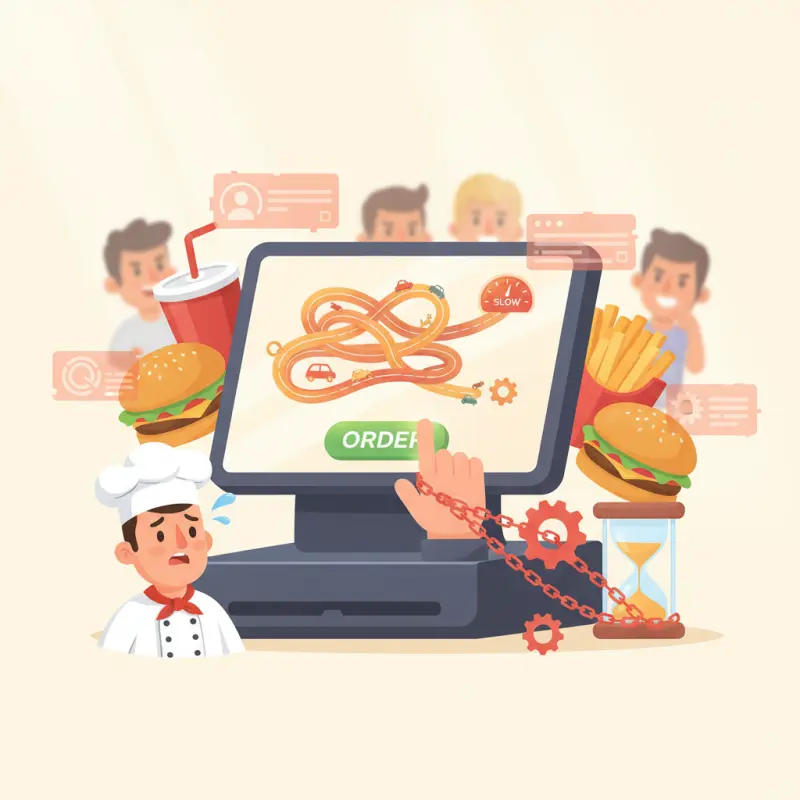
AI Overview
Most QSR POS software slows restaurants down rather than speeding them up. Complex interfaces designed with feature-heavy approaches create friction during peak service times, with each additional screen and menu layer increasing transaction time. A system that adds just two seconds per transaction costs a restaurant processing 500 daily orders nearly 97 hours annually. Morocco's quick-service restaurants face particular challenges with staff turnover at 40% annually, making complex training requirements even more costly. The best QSR POS software disappears into the background during rush periods, requiring minimal training and allowing cashiers to focus on customers rather than navigating screens. Restaurant owners should prioritize transaction speed over feature count when selecting POS systems. Look for software that requires fewer than five taps for common orders and can be learned in under four hours of training.
Table of Contents
Your chicken sandwich timer hits eight minutes. Your QSR POS software crashes. Thirty customers wait while your staff scrambles for pen and paper. This scene plays out in quick-service restaurants across Morocco daily — not because the technology fails, but because it was never built for speed in the first place.
Most QSR POS software promises efficiency through complexity. More features, more screens, more options. The reality? Each additional feature adds friction. Each menu layer slows order entry. Each configuration option creates another potential failure point during rush hour.
The Speed Trap:
Why Most QSR POS Software Slows You Down
Quick-service restaurants live and die by transaction time. Yet the software designed to speed things up often becomes the bottleneck. A cashier navigating six screens to add extra sauce. A manager buried in settings to adjust a price. A kitchen drowning in orders because the routing logic requires a computer science degree.
The problem starts with a fundamental misunderstanding. Software companies equate features with value. Restaurant owners need speed with accuracy. These goals conflict more than vendors admit.
The Two-Second Rule That Breaks Restaurants
Every second matters in QSR operations. Add two seconds to each transaction, and a restaurant processing 500 orders daily loses 16 minutes of service time. That's 97 hours annually — or two and a half work weeks vanished into interface friction.
Watch a new cashier work a complex POS during lunch rush in Casablanca. Count the taps. Time the hesitations. Note when they call for help. The best QSR POS software disappears into the background. The worst demands constant attention.
Training compounds the problem. A system requiring 20 hours of training costs more than its monthly fee. Factor in turnover — Morocco's QSR sector sees 40% annually — and that training burden becomes crushing.
Why "All-in-One" Often Means "Good at Nothing"
Feature creep kills restaurant software. A POS trying to handle table service, delivery, inventory, HR, and accounting typically excels at none. Your burger joint in Agadir doesn't need wine pairing suggestions. Your cafe pos system doesn't need banquet planning modules.
The solution isn't fewer features — it's modular design. Enable what you need. Hide what you don't. OCHI's approach lets restaurants activate only relevant modules, keeping interfaces clean and training simple.
Stack audit
What do you currently use?
Tick what you have. We’ll show what OCHI replaces or connects to.
The Kitchen Display System Reality Check
Every POS vendor mentions Kitchen Display System integration. Few explain what actually matters: screen placement, order routing, and network reliability. Your KDS is worthless if cooks can't read it through steam or orders disappear during peak traffic.
Screen Real Estate:
Size and Placement Math
Kitchen ergonomics determine KDS success. A 15-inch screen mounted four feet high forces constant neck strain. A 24-inch display at eye level maintains readability through grease splatter. Position matters as much as pixels.
Calculate viewing distance carefully. Standard kitchen stations span six to eight feet. At that range, 18-point fonts become unreadable. Your KDS needs 24-point minimum, which limits orders per screen. Plan for multiple displays, not larger ones.
Order Routing for Multi-Station Kitchens
Smart routing prevents kitchen chaos. Grill station sees burgers. Fryer station sees fries. Prep handles salads. Sounds simple until combo meals split across stations or modifications blur the lines.
OCHI's KDS handles this through customizable routing rules. Tag items by station. Route by preparation type. Synchronize timing so components finish together. The system adapts to your kitchen, not the reverse.
The Ethernet vs. WiFi Debate (Spoiler:
Ethernet Wins)
Wireless KDS systems fail when you need them most. Peak hours bring network congestion. Metal equipment creates dead zones. Microwave ovens interfere with 2.4GHz signals. One dropped connection during rush hour justifies ethernet installation costs.
Run CAT6 cables to every display. Use managed switches with redundancy. Test failover scenarios before opening. Your qsr pos software is only as reliable as its weakest network link.
Small Format, Big Problems:
Cafe POS Systems vs. Food Truck Point of Sale
Mobile food service operates under different physics. Power comes from generators. Internet depends on cellular. Space measures in square feet, not meters. Traditional pos systems for food trucks ignore these constraints.
Power and Connectivity:
The Mobile Restaurant Challenge
A food truck in Marrakech runs on 3000-watt generators. Factor in refrigeration, cooking equipment, and ventilation — you have maybe 500 watts for technology. That rules out desktop computers and multiple displays.
Cellular connectivity adds complexity. 4G coverage varies by location and event. Peak times bring network congestion. Your point of sale systems for food trucks needs offline mode with automatic sync when connection returns.
| Equipment | Power Draw | Food Truck Suitable? |
|---|---|---|
| Desktop POS Terminal | 300-400W | No - exceeds power budget |
| Tablet POS | 10-15W | Yes - efficient option |
| Thermal Printer | 30-50W | Yes - necessary |
| Cash Drawer | 5W | Yes - low impact |
| Card Reader | 5W | Yes - battery options available |
Space Constraints: Hardware That Actually Fits
Counter space in food trucks measures in centimeters. A traditional POS terminal plus cash drawer consumes half your prep area. Tablet-based systems make sense here — mount on the wall, charge overnight, operate all day on battery.
Choose hardware rated for commercial use. Consumer tablets fail in hot kitchens. Protective cases add bulk but prevent thousand-dirham replacements. Mounting arms free counter space while keeping screens accessible.
End-of-Day Accounting: Why Food Trucks Need Different Reports
Mobile operations require different metrics. Location performance matters more than hourly sales. Event comparisons trump day-of-week patterns. Your cafe accounting software needs flexibility to capture these unique data points.
OCHI's reporting adapts to mobile operations. Track sales by GPS location. Compare events year-over-year. Export data for tax preparation. The same platform works for brick-and-mortar cafes and roaming food trucks.
The Real Cost Calculator:
Beyond Monthly Fees
Software vendors quote monthly fees. Hidden costs multiply that figure by three or four. Transaction processing, hardware replacement, training time — these expenses determine true cost of ownership.
Transaction Fees: The 2.9% That Becomes 8.2%
Credit card processing starts at 2.9% plus 0.30 MAD per transaction. Add POS software fees (1-2%), marketplace commissions (15-30%), and delivery platform charges (20-35%). Suddenly, that 100 MAD order nets you 65 MAD.
Calculate your blended rate honestly. Include all payment types, all fee structures, all hidden charges. OCHI's zero-commission model means transaction fees stay at actual processing costs — no markup, no surprises.
Hardware Replacement Cycles:
Plan for Three Years
Commercial kitchen equipment faces harsh conditions. Steam, grease, heat, and constant use destroy consumer electronics. Budget for complete hardware replacement every three years — sooner for tablets and printers.
Factor these cycles into ROI calculations. A 5,000 MAD terminal lasting three years costs 139 MAD monthly. Add repairs, accessories, and downtime — the real figure doubles. Choose qsr pos software that works with standard hardware to avoid vendor lock-in.
Staff Training Hours:
Budget 16 Hours Minimum
Complex systems demand extensive training. Basic operation takes four hours. Advanced features add four more. Manager training needs another eight. At 50 MAD hourly, that's 800 MAD per employee before they're productive.
High turnover multiplies training costs. Train ten employees annually, spend 8,000 MAD on wages alone. Add productivity loss during learning curves. Simple, intuitive interfaces pay for themselves through reduced training overhead.
Building Your QSR Tech Stack in Morocco
Implementing restaurant technology in Morocco requires local knowledge. Banking integrations work differently. Internet infrastructure varies by city. Payment preferences change by customer demographic.
Internet Speed Requirements:
10 Mbps Minimum
Cloud-based qsr pos software demands reliable connectivity. Budget for 10 Mbps minimum, 25 Mbps preferred. Install business-grade connections with guaranteed uptime SLAs. Consumer internet plans fail during peak restaurant hours.
Test actual speeds during service hours. Residential areas in Rabat often share bandwidth, causing evening slowdowns. Consider redundant connections — primary fiber with 4G backup. The extra cost prevents lost sales during outages.
Payment Processing: Local Bank Integration
Moroccan banks have specific integration requirements. Settlement times vary. Chargeback processes differ from international standards. Choose POS software with established local banking relationships.
Cash remains dominant in many markets. Your system needs robust cash management — denomination tracking, shift reconciliation, and audit trails. OCHI's POS handles both scenarios through proven integrations with local processors.
Staff Management: The Eight-Role System
Effective QSR operations require clear role definitions. OCHI implements eight distinct roles: Admin, Branch Manager, POS Operator, Waiter, Chef, Delivery Boy, Cashier, and Staff. Each role sees only relevant features, reducing complexity and errors.
This granular approach prevents common problems. Cashiers can't modify prices. Delivery staff can't access reports. Chefs focus on orders, not administration. The right access for the right role at the right time.
Morocco's quick-service restaurant sector demands technology built for its reality — not imported solutions designed for different markets. Whether you run a burger joint in Agadir, manage point of sale systems for food trucks in Fès, or operate a cafe pos system in Casablanca, success comes from matching technology to operations. Choose modular systems. Prioritize reliability over features. Calculate total costs honestly. The right QSR POS software disappears into smooth operations, letting you focus on what matters: serving great food, fast.
See what OCHI can do for your restaurant at ochi.ma/partners.
Frequently Asked Questions
What makes QSR POS software slow during rush periods?
Complex interfaces with multiple screens and menu layers create friction. Each additional feature adds potential failure points and requires more taps to complete simple transactions.
How much time does slow POS software actually cost restaurants?
Adding just two seconds per transaction costs a restaurant processing 500 daily orders about 97 hours annually. That translates to over two work weeks of lost service time.
Why is training time important for QSR POS software?
Morocco's QSR sector sees 40% annual staff turnover. Systems requiring 20+ hours of training become expensive when factoring in constant retraining of new employees.
What should restaurants prioritize when choosing QSR POS software?
Focus on transaction speed over feature count. The best systems require fewer than five taps for common orders and can be learned in under four hours.
How can restaurants test if POS software is truly fast?
Time new cashiers during lunch rush. Count the taps needed for common orders. Measure how often they need help completing transactions.
Restaurant owners · Weekly
The guide to running a restaurant in 2026.
One article per week. No commission advice. Just honest operational insight for Moroccan restaurants.

Blog Manager
Comments
No comments yet. Be the first to share your thoughts.