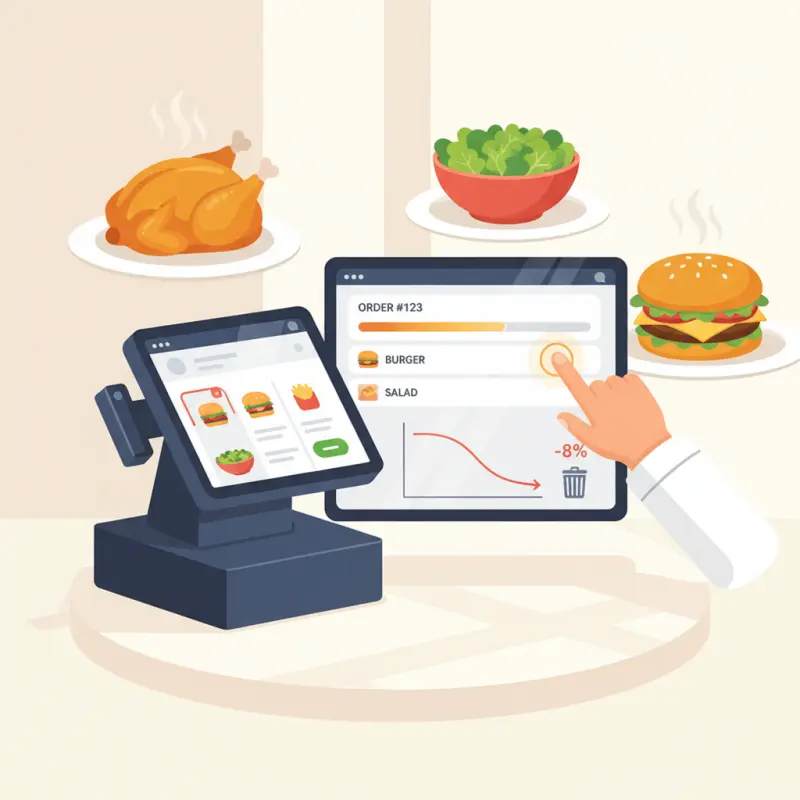
Station Routing: The Feature Most Restaurants Get Wrong
Installing screens in your kitchen means nothing if orders still create chaos. Smart kitchen management software routes each component to the right station at the right time. Most systems dump the entire order on every screen, leaving your team to sort through the noise.
Why One Screen Doesn't Work
Your grill station needs protein orders immediately to manage cook times. The cold prep station should start salads while mains cook, not after. Dessert timing depends entirely on main course progress — too early and ice cream melts, too late and tables wait.
Traditional kitchen ordering system setups ignore these realities. They treat your kitchen like a single entity instead of the orchestrated dance it actually is. When every station sees every order, nobody knows who owns what. Confusion breeds delays.
Smart Routing in Practice
Effective station routing splits orders by ingredient type and required cook time. A tagine order appears on the slow-cook station 45 minutes before service. The accompanying salad hits cold prep 10 minutes before the tagine finishes. Bread service triggers when the tagine enters final plating.
Station-specific views eliminate the noise. Your grill cook sees only grill items, sorted by fire time. Your garde manger handles cold items without scrolling through irrelevant hot orders. Each team member works from a focused list instead of drowning in kitchen-wide chaos.
This cascade timing means dishes arrive at the pass together, hot items hot and cold items cold. No more holding steaks under heat lamps while salads wilt waiting for assembly.
Per-Item Status Tracking: Beyond "Ready" or "Not Ready"
Binary status tracking fails because cooking isn't binary. A dish moves through multiple stages, and visibility into each stage prevents the bottlenecks that kill service speed.
The Five Status System That Actually Works
Effective central kitchen software tracks five distinct phases: Received → Prep Started → Cooking → Plating → Ready. This granularity reveals where orders stall and why.
Three statuses leave dangerous gaps. "In Progress" tells you nothing about whether a dish just started or nears completion. When servers ask "How long?" and you can only say "It's being made," trust erodes. Customers grow frustrated. Tips shrink.
Five statuses provide the transparency everyone needs. Servers know a "Plating" status means two minutes. Kitchen managers spot bottlenecks when multiple orders stack in "Prep Started." The data drives better station assignments and prep scheduling.
Real-Time Updates Your Staff Will Actually Use
WebSocket technology pushes status changes instantly across all screens. No refresh delays. No wondering if the system shows current information. When a cook marks an item "Cooking," every relevant screen updates within milliseconds.
Color-coded visual cues work even in bright kitchen environments. Green for ready, yellow for cooking, red for delayed. Your team processes color faster than text, especially during a rush. Touch-friendly interfaces accommodate greasy fingers and rapid taps without mis-clicks.
The interface must survive real kitchen conditions — heat, moisture, rapid movement. Tiny buttons and complex menus fail when speed matters most.
Kitchen Analytics: The Data Your Restaurant Actually Needs
Most analytics packages drown you in graphs while ignoring the metrics that drive decisions. You don't need to know how many orders contained chicken last Tuesday. You need to know which dishes consistently run late and why.
Prep Time Analysis That Drives Decisions
Average cook times vary dramatically between a slow Tuesday afternoon and a packed Saturday night. Smart systems track these variations and adjust expectations accordingly. When your kitchen runs at 70% capacity, a burger takes eight minutes. At 95% capacity, the same burger needs 14 minutes.
Peak hour bottleneck identification shows exactly where service breaks down. Maybe your fryer capacity limits output after 7 PM. Perhaps your single pasta station creates a 20-minute backup on weekends. The data exposes these constraints so you can address them — add equipment, adjust staffing, or modify the menu.
Staff efficiency patterns reveal training opportunities. If Mohamed consistently delivers dishes 30% faster than average while maintaining quality, study his methods. If new hires struggle with specific items, provide targeted coaching.
The 60% Error Reduction Scenario
A 200-seat restaurant in Casablanca tracked every preparation error for two months. With paper tickets, they averaged 32 errors daily — wrong temperatures, missing modifiers, incorrect portions. The owner installed digital displays with clear order visualization.
Errors dropped to 11 per day within two weeks. That's a 66% reduction in mistakes, measured not estimated. Each prevented error saved the cost of remaking the dish plus the negative review that often follows.
Error tracking by dish complexity revealed surprising patterns. Simple items like grilled chicken showed minimal improvement. Complex dishes with multiple components and modifiers saw 80% fewer errors. The visual clarity mattered most where complexity peaked.
OCHI's Kitchen Display System: Built for Moroccan Restaurants
OCHI approaches kitchen display system software differently because Moroccan restaurants operate differently. Multi-language support handles Arabic, French, and English orders seamlessly. Right-to-left display for Arabic maintains readability without confusion.
WebSocket Real-Time Communication
Orders placed through votrenom.ochi.ma appear on kitchen screens instantly. WebSocket connections maintain persistent communication between the ordering platform and your kitchen displays. No polling delays. No missed orders during network hiccups.
This real-time architecture integrates with GPS tracking for delivery coordination. When a driver approaches for pickup, the kitchen receives an alert to begin final plating. Food leaves your kitchen at optimal temperature, not after sitting on the pass.
Peak hours test every system. OCHI's infrastructure handles surge traffic without degradation. When 50 orders hit in five minutes, each one appears immediately on the appropriate stations.
Tablet-Based Flexibility
Specialized kitchen hardware locks you into expensive ecosystems. OCHI runs on standard tablets you already own or can buy anywhere. Mount an iPad at the grill station. Use an Android tablet for cold prep. Add screens as your operation grows without vendor lock-in.
Cloud-based architecture means any internet-connected device becomes a kitchen display. Your chef can monitor order flow from home. Managers review performance from their phones. The kitchen extends beyond its physical walls.
Updates happen automatically overnight. New features appear without disruption. Your kitchen management software evolves continuously while you focus on cooking.
Paper tickets aren't just outdated — they're expensive. Every misread order, every minute spent decoding handwriting, every frustrated cook who quits represents money leaving your business. Modern restaurant POS system with kitchen display technology pays for itself through recovered efficiency alone. See what OCHI can do for your restaurant at ochi.ma/partners.
Meta description: Transform your kitchen operations with a restaurant POS system with kitchen display. Cut prep errors by 60% and save hours daily with smart routing.