Zone Management That Actually Works: Polygons vs. Radius Delivery
Radius-based delivery zones assume your restaurant sits at the center of a perfect circle. Tell that to any Marrakech medina restaurant where ancient walls create delivery dead zones 500 meters from your kitchen.
Why Radius Zones Fail in Cities Like Marrakech
Draw a 3km radius around a Gueliz restaurant and watch what happens. Your zone includes the Palmeraie (20-minute drive) while excluding nearby Hivernage (5-minute drive). Radius zones ignore traffic patterns, physical barriers, and actual driving distances.
This creates two problems. Customers in "covered" areas face 90-minute waits because drivers navigate maze-like streets. Meanwhile, nearby customers see "outside delivery zone" despite being closer than radius edges. You lose orders and credibility simultaneously.
Polygon Zone Setup: Matching Real Geography
Polygon zones let you draw custom shapes matching real delivery capabilities. Exclude that residential complex with one-way access. Include the business district despite being 4km away on the highway. Your delivery POS system should adapt to your city, not vice versa.
OCHI's polygon builder lets you create multiple zones with different minimum orders or delivery fees. Set a tight polygon for lunch rush with 80 MAD minimum, expand for dinner with 120 MAD minimum. Real flexibility for real operations.
Driver Route Optimization Within Custom Zones
Smart zone setup enables batch deliveries that actually work. When your online food ordering and delivery platform understands true geography, it groups orders efficiently. Three orders going to Hay Riad get batched even if addresses seem distant on a simple map.
The key is zone overlap management. Allow 20% overlap between adjacent polygons to handle edge cases. Drivers know their territories. Let the system support their expertise rather than override it.
The Driver Assignment Problem: Manual vs. Automated Systems
Pure automation fails when your best driver calls in sick during Friday night rush. Pure manual assignment creates chaos when orders stack up faster than managers can assign them.
Auto-Assignment Algorithms: When They Help vs. Hurt
Auto-assignment works brilliantly for standard scenarios: driver returns, system assigns next order based on zone and preparation time. But algorithms can't factor in that Ahmed knows every Agadir Talborjt shortcut while new drivers get lost near the port.
The solution is hybrid control. Let automation handle routine assignments while preserving manual override for exceptions. Your delivery POS system should suggest, not dictate. During peak hours, managers need quick reassignment without fighting the algorithm.
Peak Hour Management: Batch Deliveries Done Right
Friday night, 8 PM. Fifteen orders pending, five drivers active. Batch algorithms that only consider proximity create disasters — sending one driver with four orders requiring 70-minute round trips while another delivers singles.
Effective batching weighs three factors: geographic clustering, preparation timing, and customer wait tolerance. Group orders heading to the same apartment complex, even if they're 10 minutes apart in prep time. Split orders to the same area if total delivery time exceeds 40 minutes.
Real-Time GPS Tracking: Customer Experience vs. Operational Control
Customers want to see their driver approach. You need to know why drivers take unexpected routes. Real-time tracking serves both needs when implemented thoughtfully. OCHI shows customers smooth ETA countdowns while giving you detailed route histories for training.
GPS data reveals operational insights. That troublesome zone where drivers always run late? They're avoiding the construction on Boulevard Mohammed V. Adjust your polygons based on actual driver behavior, not theoretical distances.
Integration Reality Check: What Actually Connects to Your Current Setup
Most restaurants need three integrations to run smoothly. Everything else is nice-to-have marketing fluff that complicates operations without adding value.
POS Integration: Essential vs. Nice-to-Have Features
Your delivery POS system must push orders directly to kitchen printers and display screens. That's non-negotiable. Menu sync, inventory deduction, and payment reconciliation come next. Everything else — loyalty point transfers, gift card validation, table management sync — can wait.
Beware platforms requiring complete POS replacement. If your restaurant delivery software demands abandoning systems that work, find another solution. OCHI integrates with existing setups through simple webhooks, preserving your current workflow.
Kitchen Display Systems: Why Paper Orders Still Win Sometimes
Digital kitchen displays excel for standard orders. But when Chef Khalid needs to prep a modified tagine with seventeen customizations, paper lets him annotate freely. The best systems support both modes — digital first with paper backup for complex scenarios.
Skip platforms pushing expensive proprietary hardware. A simple tablet running web-based KDS software costs 2,000 MAD versus 15,000 MAD for "specialized" kitchen screens that do the same thing.
Payment Processing: Local Payment Methods That Matter in Morocco
Cash remains king for 60% of Moroccan food delivery. Your platform must handle cash collection tracking, driver float management, and daily reconciliation. International platforms optimized for card-only markets create accounting nightmares.
Look for multi-gateway support covering CMI, Payzone, and emerging mobile wallets. Payment integration should be invisible to customers while providing you detailed settlement reports. Our latest guide covers payment gateway selection in detail.
Choosing Your Delivery POS: A Framework, Not a Feature List
Stop comparing feature checkboxes. Start mapping your actual operation to platform capabilities.
Document your real numbers. Average daily orders, peak hour volumes, delivery zones actually served, driver count, and current commission spend. Calculate time spent on manual tasks: order entry, driver assignment, zone verification.
Identify your three biggest operational headaches. Maybe it's drivers delivering outside zones. Perhaps kitchen tickets printing out of sequence. Or commission fees killing expansion plans. Your food delivery management software choice should solve actual problems, not theoretical ones.
Phase 2: Calculate Your Break-Even Point on Commission Savings
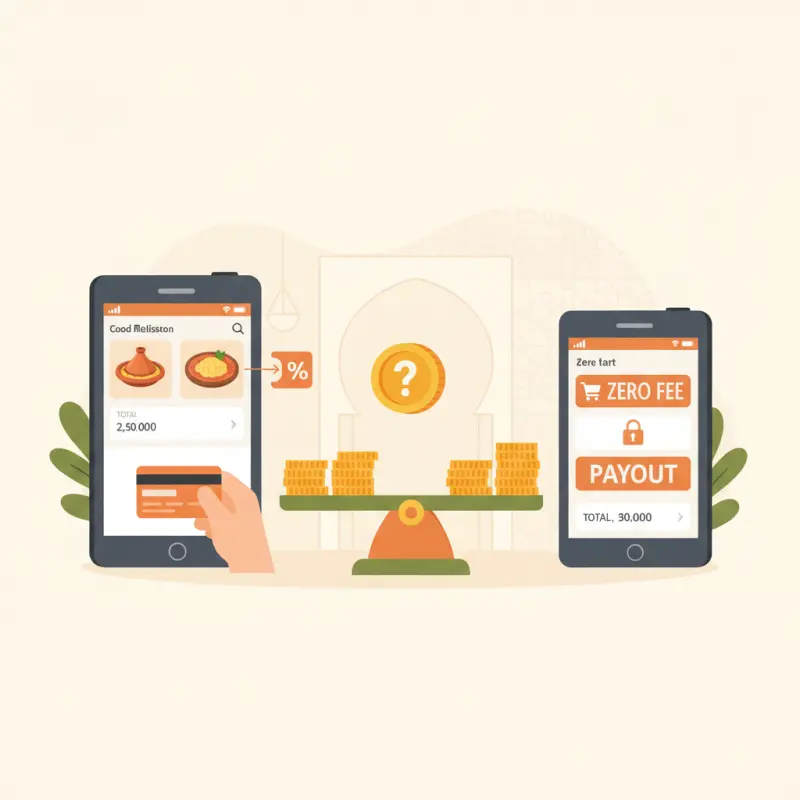
Simple math reveals the truth. If you're paying 20% commission on 50,000 MAD monthly delivery revenue, that's 10,000 MAD vanishing. Any platform charging less than that represents immediate savings. Zero-commission platforms like OCHI make this calculation even simpler — you save from day one.
Factor in efficiency gains. If proper zone management and auto-assignment save two hours daily of manager time, that's 60 hours monthly. Value that time appropriately when comparing platform costs.
Phase 3: Test Zone Setup with Your Actual Delivery Area
Before committing, draw your real delivery zones in the platform. Can you exclude that neighborhood with terrible traffic? Include the business district despite distance? Set different minimums for different areas?
Run sample orders through the system. Watch how driver assignment handles your peak hour scenario. Test batch delivery logic with real addresses. A platform that demos beautifully but fails your specific geography wastes everyone's time.
The right delivery POS system transforms your operation by eliminating friction, not adding features. When you stop losing 20% to commissions and 3 hours daily to manual coordination, growth becomes inevitable. See what true zero-commission operations look like at ochi.ma/partners — where votrenom.ochi.ma becomes your commission-free growth engine.