The Four Ordering Channels Your Restaurant Actually Needs
Most articles about online food ordering systems focus on website orders. That's like opening a restaurant with only one table. Modern diners order through multiple channels depending on context — at the table, from home, walking past, calling ahead.
Your food ordering system online needs to handle all four seamlessly, with the same menu, prices, and inventory across channels. Miss one, and you're leaving money on the table.
QR Code Table Ordering: The Post-COVID Game Changer
QR ordering transformed from pandemic necessity to permanent preference. Diners scan, browse your full menu with photos, customize orders, and pay — all from their phones. No app downloads. No waiting for servers.
The numbers tell the story. Restaurants using QR table ordering see 18% higher average orders. Why? Customers browse at their own pace, discover new items, and order dessert without feeling rushed. A Marrakech riad restaurant increased beverage sales by 25% simply because guests could reorder drinks without flagging down staff.
Your Branded Online Storefront (Not a Generic Marketplace Profile)
Generic marketplace profiles make every restaurant look identical. Your branded storefront — like yourname.ochi.ma — gives you complete control over design, menu presentation, and customer experience. It's your digital restaurant, not a rental space.
The difference shows in conversion rates. Branded storefronts convert 40% better than marketplace listings. Customers trust ordering directly from restaurants. They know prices match the menu. They see your story, not platform ads.
Integration with Your Existing POS and Phone Orders
Phone orders haven't disappeared — they've evolved. Modern online food ordering platforms integrate phone orders into the same system as digital ones. One kitchen display. One inventory. One source of truth.
This integration prevents the chaos of managing multiple tablets, manually entering phone orders, and explaining why online prices differ from phone prices. Everything flows through one system, whether customers order via QR code, website, or traditional phone call.
Guest Checkout vs. Account Creation: The AOV Impact
Forcing account creation kills conversions. Guest checkout removes friction — customers order in three taps without remembering another password. Yet accounts drive loyalty and repeat orders.
The solution: optional account creation after ordering. Customers who create accounts post-purchase spend 22% more on average. They save addresses, reorder favorites, and earn loyalty points. But they choose when to engage, not when they're hungry and impatient.
Why Language Matters: The Multilingual Ordering Reality in Morocco
Your online food ordering system for restaurants must speak your customers' languages — literally. A Casablanca business district needs French-first interfaces. Agadir's tourist areas require English. Traditional neighborhoods prefer Arabic. Get this wrong, and you lose entire customer segments.
Arabic-First Design vs. Translation Add-Ons
True Arabic support means right-to-left interfaces, Arabic numerals, and culturally appropriate design — not Google Translate slapped onto an English system. Customers notice the difference. They trust platforms that respect their language preferences.
OCHI builds with Arabic, French, and English from day one. Menu items, descriptions, and checkout flows adapt seamlessly. Customers switch languages mid-order without losing progress. That's multilingual done right.
The Casablanca vs. Agadir Customer Language Preferences
Language preferences vary dramatically by city and neighborhood. Our data shows clear patterns:
City | Arabic % | French % | English % |
|---|
Casablanca (Maarif) | 25% | 65% | 10% |
Agadir (Corniche) | 30% | 40% | 30% |
Marrakech (Medina) | 45% | 35% | 20% |
Rabat (Agdal) | 20% | 70% | 10% |
Smart restaurants match their primary interface language to local preferences while keeping all options available.
How Language Choice Affects Order Values
Customers ordering in their preferred language spend more. French-language orders average 15% higher than English in Casablanca. Arabic orders in traditional neighborhoods show 20% higher completion rates.
Why? Comfort drives confidence. When customers understand every option, modifier, and charge, they order more adventurously. They trust the process. They complete purchases instead of abandoning carts over confusion.
The Numbers Behind Order Value Increases
Every restaurant owner asks the same question: will switching systems actually increase revenue? The data says yes — when you implement the right features strategically.
Average Order Value: 15-22% Increase Breakdown by Feature
Different features drive different value increases. Here's what actually moves the needle:
Feature | AOV Impact | Implementation Effort |
|---|
Smart upsell prompts | +8-12% | Low (automated) |
Combo suggestions | +5-7% | Medium (menu setup) |
Visual menu photos | +4-6% | High (photography) |
Guest ratings per item | +3-4% | Low (builds over time) |
Minimum order amounts | +2-3% | Low (one setting) |
Combined strategically, these features consistently deliver 15-22% order value increases. A Fès restaurant saw 19% growth in three months by adding combo suggestions and item photos to their food ordering system online.
Upselling Automation That Actually Works
Effective upselling feels helpful, not pushy. When customers add a main dish, suggest complementary sides based on popular pairings. Adding a burger? "Make it a meal with fries and a drink for just 15 MAD more." Simple. Relevant. Profitable.
Timing matters. Show upsells after item selection, not during browsing. Keep suggestions to 2-3 maximum. Always show the value — "Save 10%" resonates better than "Add this too."
Understanding when and how customers order shapes your strategy. QR orders peak during lunch (12-2pm) and dinner (7-9pm) service. Online orders surge just before — customers planning ahead. Phone orders remain steady throughout operating hours.
Different channels perform differently by day. Weekend QR orders jump 45%. Weekday online orders dominate lunch delivery. Phone orders spike during bad weather when customers want confirmation. Build staffing and inventory around these patterns.
Setting Up Your Food Online Ordering System: The 48-Hour Timeline
Switching systems feels daunting until you see the actual timeline. Most restaurants go live within 48 hours — faster than getting a food handler's permit. Here's the realistic breakdown.
Day 1: Menu Upload and Payment Setup
Morning: Export your menu (or manually enter if needed). Add descriptions, photos, and modifiers. Set portion sizes and availability schedules. This takes 3-4 hours for a 50-item menu.
Afternoon: Configure payment gateways. In Morocco, this means cash on delivery plus one digital option minimum. Add delivery zones if offering delivery. Set minimum orders and delivery fees by area. Another 2-3 hours.
Evening: Review everything. Test order flow as a customer. Adjust pricing, descriptions, and photos. Your online food ordering system for restaurants should match your physical menu exactly — same prices, same options, same quality expectations.
Day 2: Staff Training and Go-Live Testing
Morning: Train your team. Kitchen staff learn the new display system. Front desk handles order confirmations. Delivery team understands zone assignments. Everyone practices with test orders. 2-3 hours gets everyone comfortable.
Afternoon: Soft launch with friends and family. Send them your new ordering link. Process real orders. Find friction points. Adjust workflows. This stress test prevents launch day surprises.
Evening: Go live. Announce on social media. Update your Google Business profile. Add QR codes to tables. Your branded storefront is ready — yourname.ochi.ma accepting orders.
Week 1: Customer Behavior Analysis and Adjustments
The first week reveals patterns. Which items sell best online? When do orders peak? What modifications do customers request? Use this data to optimize.
Common week-one adjustments: adding popular modifications, adjusting prep times for accuracy, creating combo meals based on common pairings, updating photos that don't convert. Small tweaks drive big results.
By week two, online ordering feels natural. Staff workflows adapt. Customer feedback improves. Revenue grows without commission fees eating profits.
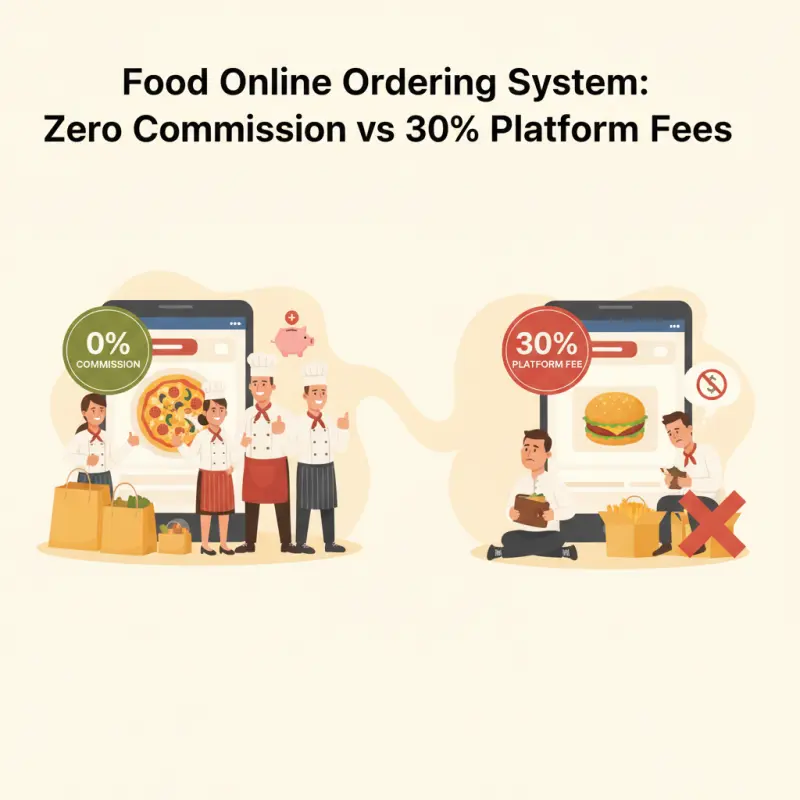
The choice is clear. Keep paying platforms 30% of your revenue, or own your ordering system and keep every dirham. See what a commission-free food online ordering system can do for your restaurant at ochi.ma/partners.