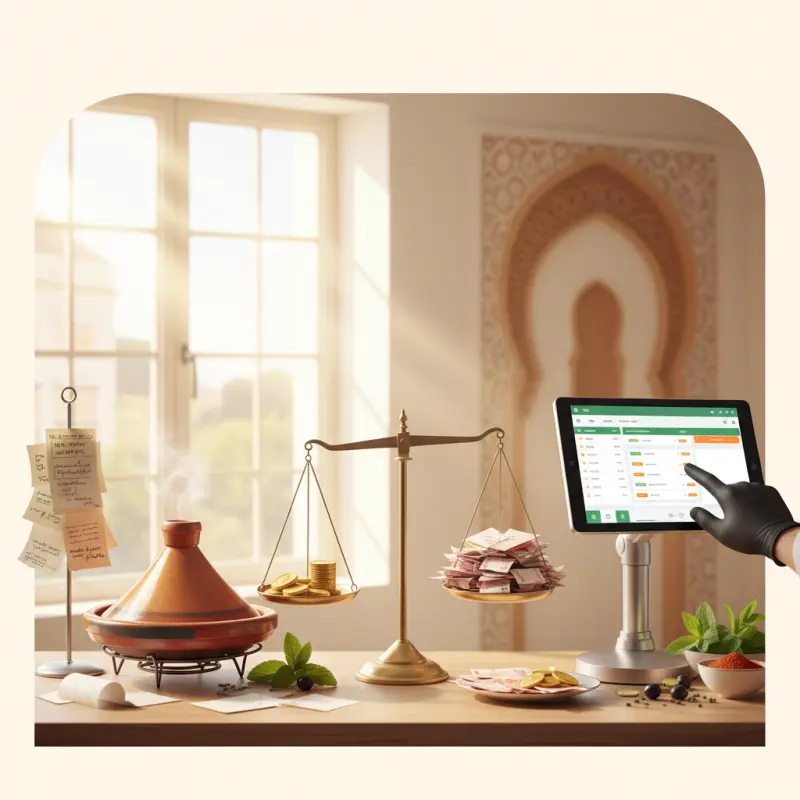
How Kitchen Display Systems Actually Work (Beyond the Marketing)
Most articles tell you that kitchen display system software "shows orders on a screen." That's like saying a smartphone "makes calls." The real innovation happens in the data flow and logic that makes everything work.
Order Journey: From Customer Tap to Kitchen Screen
When a customer orders couscous with grilled chicken at your Marrakech restaurant, here's what actually happens in a modern system:
First, the order hits your POS via API — whether from table QR code, online ordering, or waiter input. The system immediately routes items based on station logic: couscous to hot prep, salad to cold station, chicken to grill. Each station sees only their items, with prep times calculated backward from target completion.
WebSocket connections push updates in real-time. When the grill chef marks chicken as "preparing," the hot prep station gets an alert to start the couscous in eight minutes. Everything arrives at the pass together, hot and fresh.
OCHI's kitchen display system uses color-coded status (pending in gray, preparing in yellow, prepared in green) instead of confusing countdown timers. Chefs see what matters: what to cook now, what's coming next, and what's ready for pickup.
What Happens When Technology Fails
Smart restaurant owners ask: "What if the internet drops?" Quality central kitchen software includes offline modes that cache orders locally and sync when connection returns. During outages, the system continues displaying existing orders and accepts new ones through local network connections.
Manual overrides let managers push orders directly to stations if needed. Every order maintains a paper backup option — but you'll rarely use it. Modern systems achieve 99.9% uptime because they're built for restaurant realities, not tech demos.
The Features That Actually Reduce Kitchen Errors
Speed gets all the marketing attention, but error reduction drives real ROI. A Rabat steakhouse reduced remakes by 60% simply by implementing per-item status tracking. When each component shows its own progress, coordination problems disappear.
Color-Coded Status vs. Time-Based Displays
Countdown timers stress your kitchen staff. They create anxiety without providing actionable information. Color-coded status tells chefs exactly what they need to know: gray items need attention, yellow items are in progress, green items are done.
Per-item completion beats order-level tracking every time. If the burger is ready but fries need three more minutes, marking the entire order "complete" leads to cold burgers or undercooked fries. Item-level tracking keeps everything synchronized.
Station-specific views prevent information overload. Your grill chef doesn't need to see dessert orders. Your cold prep doesn't need to know about pizza cook times. Each screen shows relevant orders with clear priority indicators.
Kitchen Display System Software Integration Points
Modern restaurants run multiple systems: POS for payments, online ordering for delivery, inventory for stock control. Your restaurant kitchen order system must connect them all seamlessly.
Quality platforms provide documented APIs and webhooks for integration. When a customer orders through your website, the kitchen sees it instantly. When an item runs out, the system updates availability across all channels. When orders complete, inventory automatically adjusts.
Real Kitchen Scenarios: 60% Error Reduction Data
Theory matters less than results. Let's examine actual performance from an Agadir seafood restaurant that switched from paper to digital last year.
Peak Hour Management
Before: 45 orders per hour, 12% error rate, average ticket time 18 minutes. Kitchen chaos during rush hours, with tickets piling up and chefs constantly asking "what's next?"
After implementing kitchen management software: same 45 orders per hour, but error rate dropped to 4%. Average ticket time decreased to 14 minutes. The difference? Intelligent order queuing that prioritizes based on promise times and table status.
The system automatically escalates delayed orders, changing their color to orange after 80% of target time. Managers spot problems before customers complain. Multi-order tables stay synchronized — no more appetizers arriving with entrees.
Multi-Station Coordination
Complex orders reveal the true power of central kitchen software. Consider a table ordering grilled fish, pasta, and mezze platter. Three stations must coordinate timing so everything arrives together.
The system calculates backward from desired completion: mezze needs five minutes, pasta needs 12, fish needs 15. It alerts each station when to start cooking, accounting for their current workload. Real-time adjustments happen if one station falls behind.
Special requests that once caused confusion now display clearly on relevant screens. "No onions" appears only on stations that use onions. Allergy alerts show in red across all relevant displays. The result: happier customers, less stressed staff.
Choosing the Right Kitchen Ordering System for Morocco
Morocco's restaurant industry faces unique challenges: frequent power fluctuations, varied internet quality, and the need for Arabic language support. Your kitchen ordering system must handle these realities.
Budget Reality Check
Initial costs vary widely:
| System Type |
Setup Cost (MAD) |
Monthly Fee (MAD) |
3-Year Total (MAD) |
| Basic tablet displays |
8,000 |
300 |
18,800 |
| Full KDS with POS integration |
15,000 |
800 |
43,800 |
| OCHI complete system |
0 |
500 |
18,000 |
| Paper ticket system |
2,000 |
450 (supplies) |
18,200 |
Factor in training time: basic systems need two days, comprehensive platforms need five days. But comprehensive systems reduce errors more, saving money long-term. Most Moroccan restaurants see positive ROI within four months.
Technical Requirements in Morocco
Reliable kitchen display system software needs just 10 Mbps internet for real-time updates. More important than speed is consistency — intermittent connections cause more problems than slow-but-steady ones.
Local payment integration matters for accounting accuracy. Your system should connect with CMI, PayZone, and other Moroccan processors. Multi-language displays aren't optional — they're essential for diverse kitchen staff.
Power backup systems prevent order loss during outages. Quality platforms cache everything locally and restore state perfectly when power returns. Your kitchen never misses an order.
The shift from paper tickets to digital isn't about following trends — it's about running a professional kitchen that delivers consistent quality. When every order flows smoothly from customer to kitchen to table, your restaurant runs like it should. See how OCHI's kitchen display system transforms your operations at ochi.ma/partners — with WebSocket real-time updates, color-coded stations, and zero commission on every order processed.