AI Overview
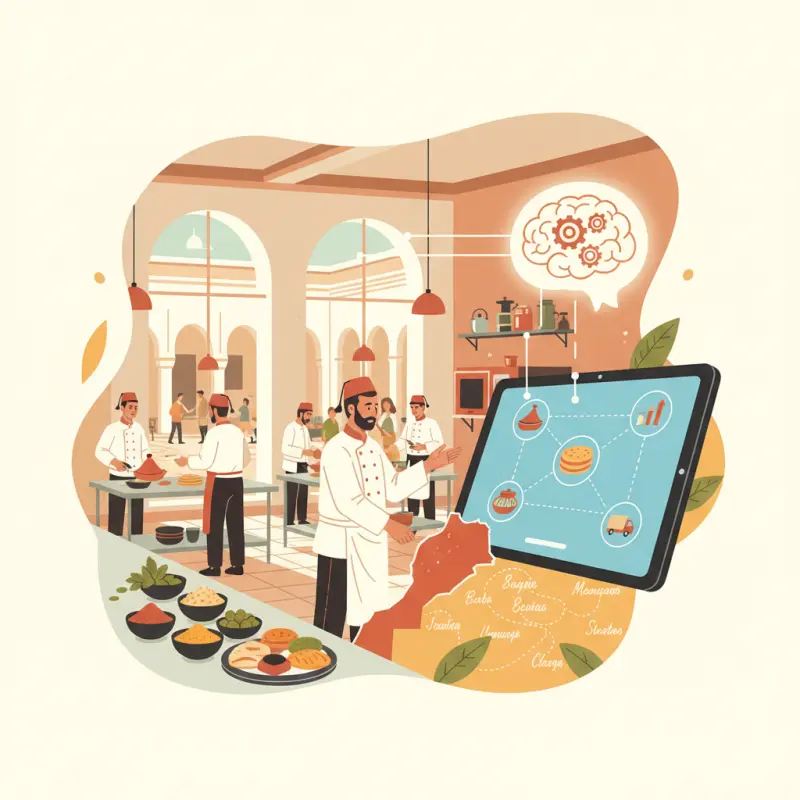
Central kitchen management software eliminates paper tickets and reduces order errors by up to 85% during peak service hours. Most Moroccan restaurants using digital kitchen display systems report 90 fewer minutes spent deciphering orders per service, directly improving kitchen efficiency. Traditional paper-based systems cost restaurants an average of MAD 3,500 monthly through reprinted tickets, remade orders, and training delays. OCHI's kitchen display system integrates with existing POS workflows, displaying clear digital tickets that update in real-time across all stations. Unlike tablet-based solutions that gather dust, proper kitchen management software becomes part of the natural flow during rush periods. The key difference lies in implementation: successful restaurants train their entire team simultaneously rather than introducing the system gradually. Choose software that displays orders exactly as your kitchen staff expects to see them, with customizable layouts matching your existing prep station workflow.
Table of Contents
Every morning at 5:47 AM, Chef Hassan arrives at his Rabat restaurant to find yesterday's grease-stained order tickets still scattered across the prep stations. His central kitchen management software sits unused on a dusty tablet while his team reverts to the paper system they've used for years.
This scene repeats in kitchens across Morocco — expensive digital solutions abandoned for familiar chaos. The problem isn't the technology. It's that most kitchen management software ignores how real kitchens actually operate during a Friday night rush.
The Real Cost of Paper Tickets in Your Central Kitchen
Walk into any busy kitchen in Casablanca during lunch service and you'll see the same ritual: servers rushing tickets to the pass, cooks squinting at smudged handwriting, expeditors shouting clarifications over the din of sizzling pans. What looks like organized chaos is actually organized waste.
The numbers tell the real story. Kitchen staff spend an average of 15 minutes per station just deciphering orders. That's 90 minutes of lost productivity across a six-station kitchen every service. When you factor in the cost of reprinting illegible tickets and the orders that get remade due to misread modifications, paper tickets drain roughly MAD 3,500 per month from a mid-sized restaurant.
But the cascade effect hurts more than the direct costs. One misread ticket during peak hours creates a domino effect: the wrong dish gets prepared, inventory gets wasted, the correct order starts late, and every subsequent order backs up. By 8 PM, your kitchen is 20 minutes behind, and nobody can trace the problem back to that single smudged ticket from 6:30.
Training compounds the problem. New line cooks need days to learn each server's handwriting quirks and the unofficial abbreviations your team has developed over years. Every new hire represents another week of potential order errors until they decode your kitchen's unique dialect of scribbles and shortcuts.
Stack audit
What do you currently use?
Tick what you have. We’ll show what OCHI replaces or connects to.
Why Most Kitchen Display Systems Fail After 30 Days
Restaurant owners invest thousands in kitchen display system software only to find their staff taping paper tickets to the expensive screens within a month. The vendors blame "resistance to change," but the real culprit is poor implementation design.
Screen overload syndrome kills most digital kitchen systems. Vendors pack every possible feature into the interface: nutritional information, customer history, suggested upsells, inventory alerts. During a lunch rush, when orders stack up and timers scream, cooks need three pieces of information: what to make, how much, and when. Everything else is noise that slows them down.
Tablet placement creates another failure point. Mount screens too high and cooks crane their necks all shift. Too low and grease splatters obscure the display. Wrong angle and glare makes reading impossible during afternoon service. Most kitchen ordering systems never consider that the person installing the tablet isn't the person who'll stare at it 300 times per shift.
WiFi dependency becomes the final nail. When connection drops — and it will drop during your busiest service — most cloud-based systems leave kitchens blind. Staff scramble for backup procedures nobody remembers because the system "never" fails. Except when it does, always at the worst possible moment.
Station-by-Station Workflow: What Actually Works
Successful kitchen management software adapts to existing workflows rather than forcing new ones. Each station in your kitchen has specific needs that generic solutions miss.
Prep Station Requirements
Morning prep sets the tone for service. Your prep cooks need timer integration that tracks marination periods without constant clock-watching. When your chicken requires four hours of marinating, the system should alert staff when to start preparing the 6 PM orders at 2 PM.
Ingredient substitution alerts prevent service disasters. If your prep cook uses the last of the pine nuts for a special batch, every station needs immediate notification to suggest alternatives for subsequent orders. Batch size calculations eliminate the guesswork of scaling recipes for different service volumes.
Hot Kitchen Routing
The hot line operates on synchronized chaos. Priority queue management must reflect real kitchen dynamics — not just first-in-first-out logic. Table 12's main course needs to fire when their appetizer is 80% complete, regardless of when the order arrived.
Cook time synchronization across multiple items separates professional kitchens from amateur operations. Your central kitchen software should know that the tagine takes 25 minutes while the grilled fish needs eight, starting them at staggered intervals for simultaneous completion.
Station load balancing matters when your grill cook calls in sick. Smart routing redistributes orders across available stations based on equipment capability and current workload, not rigid assignments.
Assembly and Packing
The final station bears responsibility for customer satisfaction. Order completion verification ensures every component made it from station to plate. Special instruction visibility — displayed prominently, not buried in submenus — prevents allergic reactions and dietary violations.
Quality control checkpoints built into the workflow catch errors before they leave the kitchen. A simple confirmation step saves countless remakes and angry customers.
The Numbers Behind Kitchen Display Success
Implementation costs tell only part of the story. Real success metrics emerge after the honeymoon period ends.
| Investment Category | Cost Range (MAD) | Payback Timeline |
|---|---|---|
| Hardware Setup | 2,400 - 8,000 | 4-6 months |
| Staff Training Time | 12 hours average | Immediate impact |
| Error Reduction | 60-75% fewer mistakes | First month |
| Speed Improvement | 8 minutes faster | Second week |
| Monthly Savings | 3,500 - 5,000 | Ongoing |
These numbers come from restaurants that stuck with their systems past the difficult first month. The key differentiator? They chose kitchen management software designed for actual kitchen conditions, not boardroom demonstrations.
OCHI's Kitchen Display System in Action: Rabat Restaurant Case
Bab Al Maghrib operates three locations across Rabat, each handling 200+ orders during peak hours. Before OCHI, their central kitchen drowned in duplicate prep orders when multiple locations requested the same special items. Cooks prepared three batches of the same sauce because communication between kitchens relied on WhatsApp messages nobody checked during service.
OCHI's KDS changed their operation through practical design choices. WebSocket technology enables real-time updates without page refreshes — when Location A starts preparing the shared special, Locations B and C see the status instantly. No polling, no delays, no duplicate work.
The color-coded priority system handles rush hour chaos through visual clarity. Red orders need immediate attention, yellow items cook normally, green plates wait for course timing. No complex codes or abbreviations — just colors every cook understands instinctively.
Integration with OCHI's POS means orders route automatically to the correct station based on preparation requirements. Grilled items hit the charcoal station, fried dishes route to the fryer station, and cold preparations go directly to garde manger. No manual sorting, no confusion, no delays.
Within the first month, Bab Al Maghrib measured a 60% reduction in preparation errors. Order completion times dropped by eight minutes average. Most importantly, their kitchen staff stopped taping paper tickets to the screens.
Choosing Your Kitchen Management Software: The 72-Hour Test
Vendor demonstrations impress in controlled environments. Real kitchens need real tests. The 72-hour evaluation framework reveals which systems survive actual service conditions.
Day 1 tests installation complexity. If setup requires an IT specialist and two days of configuration, your staff won't maintain it properly. The best kitchen ordering systems install like restaurant equipment should — plug in, configure basics, start using. Complex authentication systems and elaborate user hierarchies signal over-engineering.
Day 2 exposes training pain points. Watch how quickly your most tech-resistant cook adapts to the interface. Note which features they ignore and which ones they immediately appreciate. If veteran staff members actively avoid the new system after basic training, the interface design failed.
Day 3 brings the pressure test. Run your busiest service entirely on the new system. No paper backup, no workarounds. Systems that require constant attention during rush periods won't survive long-term. Watch for stress points: Does the display lag when orders stack up? Do critical features bury themselves in submenus when speed matters most?
The decision criteria that matter extend beyond feature lists. Response time under load beats fancy analytics. Offline capability outweighs cloud storage. Clear display hierarchy matters more than customization options.
Red flags predict failure before full implementation. Mandatory internet connectivity, complex user permissions, required proprietary hardware, per-user licensing fees, and limited language support all signal future problems.
The best central kitchen management software disappears into your workflow. Staff use it without thinking, orders flow without intervention, and problems surface before they cascade. Technology should enhance your kitchen's natural rhythm, not dictate a new one.
Test OCHI's kitchen display system at votrenom.ochi.ma — no commission fees, real-time WebSocket updates, and setup support included.
Frequently Asked Questions
What features should central kitchen management software include for Moroccan restaurants?
Essential features include Arabic language support, real-time order display across multiple stations, inventory tracking for local ingredients, and integration with existing POS systems. The software should handle peak service volumes without lag.
How much does central kitchen management software typically cost in Morocco?
Most systems range from MAD 800 to MAD 2,500 per month depending on restaurant size and features. OCHI offers zero-commission kitchen management with no monthly fees, charging only for hardware if needed.
Can kitchen management software work during power outages in Morocco?
Quality systems include offline mode and automatic backup to cloud storage. Orders continue displaying on battery-powered devices, and all data syncs once power returns.
How long does it take to train kitchen staff on new management software?
Most teams adapt within three to five days with proper training. The key is training everyone simultaneously rather than rolling out gradually, which prevents confusion during service.
Does central kitchen management software integrate with delivery apps like Glovo?
Yes, most modern systems automatically import orders from delivery platforms directly to kitchen displays. This eliminates manual entry and reduces errors from third-party orders.
Restaurant owners · Weekly
The guide to running a restaurant in 2026.
One article per week. No commission advice. Just honest operational insight for Moroccan restaurants.

Blog Manager
Comments
No comments yet. Be the first to share your thoughts.