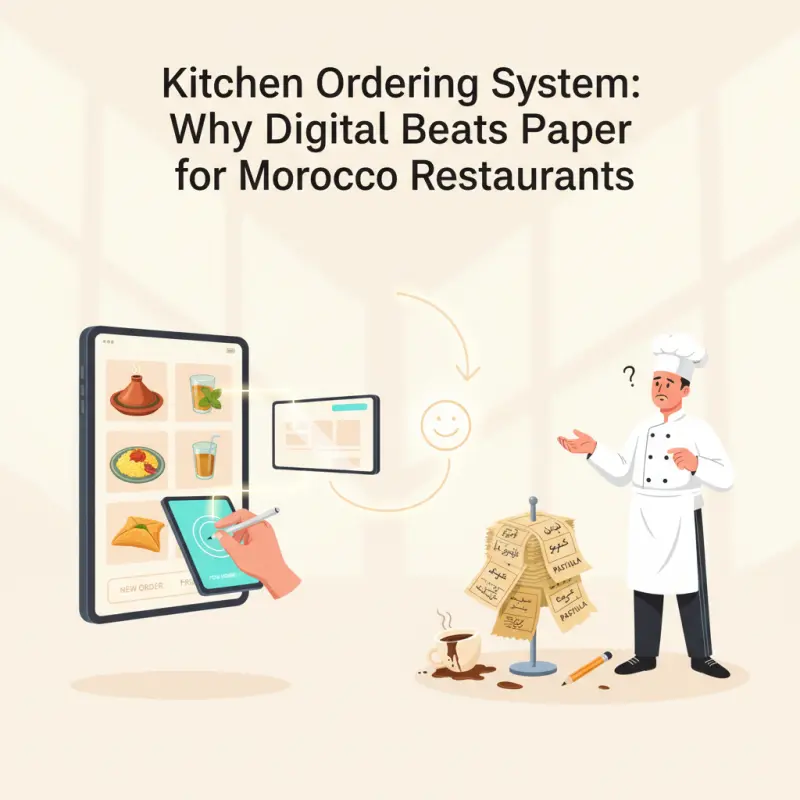
What Makes a Kitchen Ordering System Actually Work
Most kitchen ordering system vendors show you flashy screens and promise efficiency. They skip the fundamentals that separate functional systems from expensive decorations.
Real-Time Order Flow (Not Just Display)
The difference between success and failure lies in how orders move through your kitchen. WebSocket technology delivers instant updates — when a server enters an order, it appears on the kitchen display system software within 100 milliseconds. Refresh-based systems lag 3-5 seconds, creating confusion during rushes.
Per-item status tracking changes everything. Instead of marking entire orders as "cooking" or "done," modern kitchen management software tracks each component: the tagine is simmering, the couscous is plated, the salad awaits assembly. Chefs see exactly what needs attention without guessing.
Station-specific routing eliminates manual sorting. Orders automatically split between hot line, cold prep, and dessert stations based on your configuration. No more servers hand-delivering tickets to each station. No more missed items because someone forgot to inform the salad chef.
The Integration Reality Check
Here's what vendors won't tell you: standalone KDS apps are operational disasters. They require double entry — once in your POS, again in the kitchen system. This guarantees errors and defeats the entire purpose of going digital.
Your POS, inventory, and kitchen display must share the same database. When a server enters an order, it should flow directly to the kitchen screens, deduct from inventory, and update your reports — all without manual intervention. OCHI's kitchen management system software handles this through unified architecture. Orders placed at {yourname}.ochi.ma flow seamlessly through every operational layer.
The "integration tax" kills most digital transformations. Connecting separate systems requires custom APIs, ongoing maintenance, and usually breaks during updates. You end up paying 2,000-5,000 MAD monthly just to make different software talk to each other — before considering the actual subscription costs.
Kitchen Display System Software: Screen Setup That Actually Scales
Installing screens isn't enough. Strategic placement and workflow design determine whether your investment pays off or becomes expensive wall decoration.
Station Assignment Strategy
Your hot station handles the complex choreography of mains and sides. The screen here needs to show cooking times, fire orders, and special modifications. Position it at eye level, angled away from heat sources. A 10-inch tablet works for small operations; busy kitchens need 15-inch displays.
Cold stations require different information architecture. Salad and dessert prep happens in advance, so these screens prioritize queue depth over immediate timing. Show upcoming orders for the next 20 minutes, allowing prep cooks to batch similar items.
The expo station serves as mission control. This screen shows all active orders with real-time status from every station. Your expo chef sees which tables are waiting, which items are ready, and where bottlenecks form. This role becomes impossible with paper tickets once you exceed 30 covers per hour.
Screen Positioning for Speed
Mount screens at cook eye level — not where managers find convenient. The average line cook is 170cm tall. Mounting height should be 150-160cm to minimize neck strain and maximize readability. Angled mounting (15-30 degrees) reduces glare from kitchen lights.
Backup screen protocols prevent disaster. When systems fail — and they will — you need printed backup tickets ready within 30 seconds. Train staff on manual override procedures monthly. Smart operators keep a basic Android tablet as emergency backup for their primary stations.
Properly positioned screens reduce average prep time by 23%. This isn't marketing fluff — it's measured data from Rabat restaurants using modern kitchen ordering systems. The time saved comes from eliminating head turns, reducing squinting, and removing the walk to check paper tickets.
Central Kitchen Software for Multi-Location Control
Restaurant groups face unique challenges that single-location focused platforms ignore. Managing three branches means three different kitchen teams, local menu variations, and the nightmare of consolidated reporting.
Branch-specific menu modifications become critical when your Agadir location serves fresh seafood while your Marrakech branch focuses on traditional tagines. Central kitchen software must handle these variations without forcing corporate menus on local markets.
Centralized reporting across locations reveals patterns invisible at the branch level. Which items sell during Ramadan across all locations? Where do food costs spike? Modern systems aggregate this data in real-time, not through weekly Excel consolidation.
Staff role management per location prevents security breaches. Your Casablanca head chef shouldn't see Fès inventory levels. Branch managers need their numbers, not the entire company's. OCHI handles this through hierarchical permissions — each restaurant under your account at {yourname}.ochi.ma maintains operational independence while feeding data to your master dashboard.
The Real Cost of Kitchen Management Software
Pricing Reality Check
Nobody talks about real implementation costs. Here's what you'll actually spend:
| Component |
Cost Range (MAD) |
Notes |
| Hardware per station |
300-800 |
Android tablets work; iPads last longer |
| Mounting brackets |
150-300 |
Wall or counter mount options |
| Software monthly |
200-500 |
Per screen on most platforms |
| Setup time |
2-3 weeks |
Full deployment and training |
| Training cost |
2,000-5,000 |
Often hidden or "included" |
Most platforms charge per screen per month. A typical kitchen with four stations pays 800-2,000 MAD monthly just for software access. Add transaction fees, and you're looking at 3-5% of revenue going to technology costs.
OCHI's zero commission model changes this math. Your kitchen management software comes included with your branded ordering platform. No per-order fees. No screen licensing. Just a flat platform fee that covers everything from online ordering to kitchen display.
ROI Timeline
Month one brings chaos. Your team struggles with new workflows. Orders might actually slow down as muscle memory fights digital processes. This is normal — budget for 20% efficiency loss during week one.
Months three through six show measurable improvement. Error rates drop from 8-10% to under 3%. Kitchen prep times decrease 15-20%. Most importantly, your staff stress levels plummet as clarity replaces confusion.
After six months, the full benefits emerge. Food costs drop 2-3% from reduced errors. Labor efficiency improves 20-25%. Customer complaints about wrong orders virtually disappear. The system pays for itself through waste reduction alone.
The best kitchen ordering systems disappear into your operations. They become invisible infrastructure that simply works, letting your team focus on what matters — creating great food efficiently.
See how OCHI's kitchen display system transforms restaurant operations. Visit ochi.ma/partners to explore the complete platform or check our restaurant management insights.