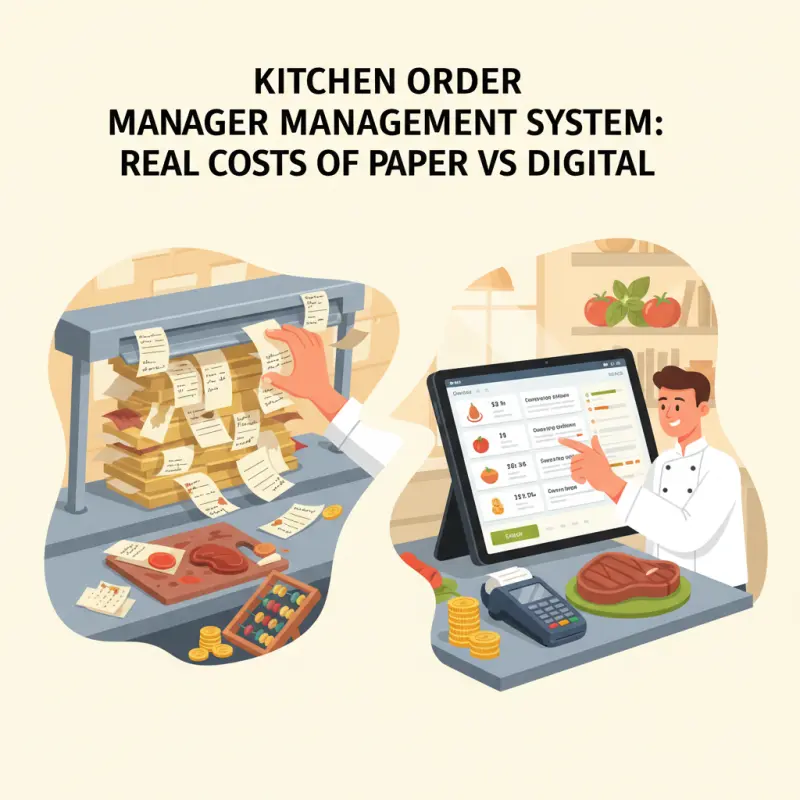
What Actually Happens When Orders Hit Your Kitchen
Most articles about kitchen display system software skip the messy reality of how orders actually flow through a busy kitchen. Here's what really happens: your POS sends an order. That order needs to reach multiple stations simultaneously. The grill needs to know about the steak. The cold station needs the salad details. The garnish station needs timing coordination.
With paper, this means printing multiple copies or shouting across the kitchen. With a proper kitchen ordering system, each station sees only what they need, when they need it. The magic isn't in the screens — it's in the routing logic that understands your kitchen's workflow.
The Station Routing Problem
Sending every order to one screen creates a bottleneck worse than paper tickets. Your grill chef doesn't need to see dessert orders. Your pastry chef doesn't care about appetizers. Smart station routing means each team member sees their relevant items, color-coded by urgency, with countdown timers that reflect actual prep times.
Different items need different timing. A medium-rare steak takes 12 minutes. A Caesar salad takes three. Without station-specific displays that understand these differences, you're just digitizing chaos instead of solving it. The best central kitchen software routes intelligently and times precisely.
Station filtering needs three things to work: item-to-station mapping, real-time status updates, and override capabilities for special requests. Get any of these wrong, and you've built an expensive mess.
Why Most Kitchen Display System Software Fails Restaurants
Here's what vendors won't tell you: most kitchen management software creates new problems while solving old ones. The dirty secret? They rely on polling instead of real-time WebSocket connections. This means your kitchen display refreshes every 30 seconds instead of instantly. In a busy kitchen, 30 seconds might as well be 30 minutes.
Color coding sounds simple until you realize every vendor uses different schemes. Red for urgent? Red for meat dishes? Red for allergies? Without standardization, your staff spend more time learning software quirks than cooking food. OCHI's KDS uses WebSocket technology for true real-time updates and intuitive color coding that makes sense from day one.
The Integration Trap
Single-vendor lock-in kills flexibility. When your POS, KDS, and inventory come from one company, you're trapped. Need a specific feature? Too bad. Want to switch one component? Impossible. The "all-in-one" promise usually delivers mediocrity across all functions.
Integration failures show up during your busiest hours. Orders disappear between systems. Updates lag. Modifiers vanish. Your kitchen order management system should talk to your existing tools, not replace them all. Real-time sync means WebSocket connections, not batch updates every few minutes.
The 60% Error Reduction Scenario: Restaurant Atlas, Agadir
Restaurant Atlas on Avenue Hassan II in Agadir serves 300 covers during weekend dinner service. Six months ago, their kitchen ran on paper tickets, muscle memory, and barely controlled chaos.
Before: Paper Chaos
During the lunch rush, Restaurant Atlas lost an average of 15 orders daily. Tickets fell behind equipment. Sauce covered critical modifications. Servers interrupted cooks constantly to clarify illegible handwriting. The communication breakdown showed in the numbers: 30% of orders required clarification calls to the dining room. Average order completion stretched to 18 minutes, even for simple dishes.
The kitchen ran hot, loud, and inefficient. Cooks prepared items in the wrong sequence. Tables received appetizers after entrees. The expediter spent more time hunting for tickets than quality-checking plates.
After: Digital Precision
Three months after implementing their kitchen ordering system, Restaurant Atlas hit zero lost orders — and maintained that record for 90 days straight. Clarification requests dropped to 6%, mostly for genuine special requests rather than illegible tickets. Average order completion time fell to 12 minutes.
The transformation went beyond numbers. Cooks stopped yelling across stations. The expediter could see every order's status at a glance. New staff learned the system in hours instead of weeks. The kitchen display system software paid for itself in reduced food waste within eight weeks.
Building Your Kitchen Management Software Stack
Choosing central kitchen software for a Moroccan restaurant means understanding local realities. Power cuts happen. Internet drops. Your system needs to handle Arabic names and French modifications. Most importantly, it needs to keep working when technology fails.
Implementation costs vary wildly. Basic tablet-based systems start at 2,000 MAD per station. Enterprise kitchen display system software can reach 50,000 MAD for a full setup. The key? Start with core functionality and expand. You need order display before analytics. You need reliability before fancy features.
The Three Non-Negotiables
First, demand real-time order sync through WebSocket connections. HTTP polling creates dangerous delays in busy kitchens. When a customer changes their order, your kitchen needs to know instantly, not eventually.
Second, insist on station-specific routing with customizable timing. Your kitchen order management system should understand that your grill, fryer, and salad stations work at different speeds. One-size-fits-all displays create bottlenecks.
Third, require offline functionality that actually works. Not just "view-only" mode, but full order acceptance and tracking that syncs when connection returns. Moroccan restaurants face infrastructure challenges that Silicon Valley software often ignores.
The future of kitchen management isn't about replacing chefs with robots. It's about giving talented cooks the tools to work efficiently. When your kitchen order management system removes friction instead of adding complexity, your food quality improves, your staff stress decreases, and your customers notice the difference. Set up your digital kitchen at votrenom.ochi.ma — where orders flow like they should.