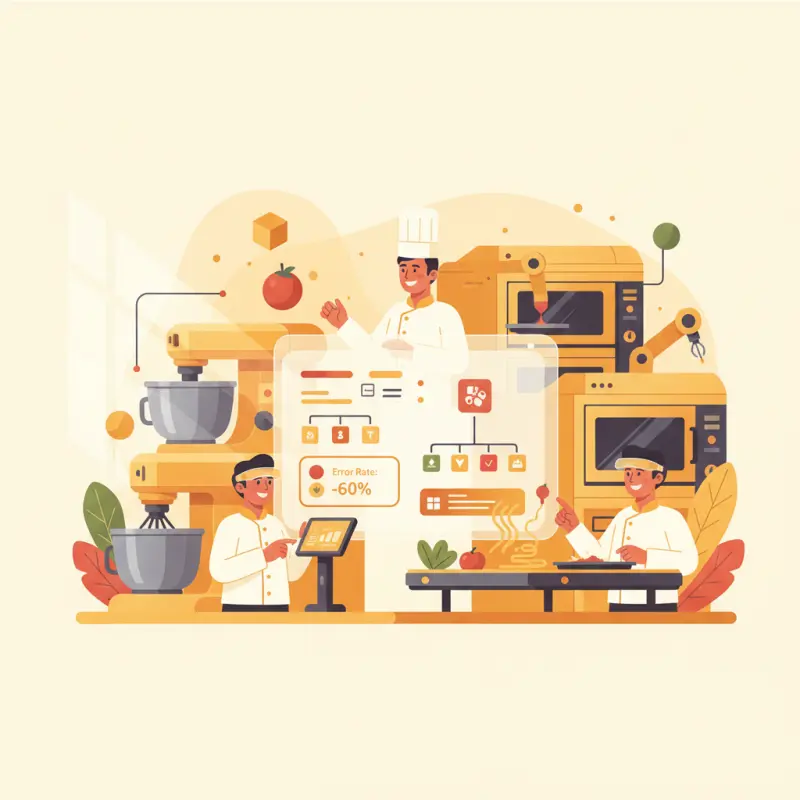
Software Central Kitchen Systems: Cut Kitchen Errors by 60%
Blog Manager
··6 min read
AI Overview
Software central kitchen systems replace paper tickets with digital workflows that route orders directly to kitchen stations. These systems cut kitchen errors by 60% while reducing order processing time from three minutes to 15 seconds. In a typical Casablanca restaurant serving 200 lunch orders, digital systems save 10 hours of staff time daily by eliminating seven manual touches per order. Popular systems include Toast KDS, Revel Systems, and local solutions like OCHI's kitchen display system. The technology works through tablets or screens that show real-time order status, prep times, and modifications. Implementation requires staff training on digital interfaces and integration with existing POS systems. Start by digitizing your highest-volume station first, then expand to other prep areas once your team adapts to the new workflow.
Table of Contents
For restaurant owners
Start your restaurant in 60 minutes.
From signup to your first real order — no commission, no setup fee, no sales call.
Your kitchen runs on paper tickets. Each order takes three minutes to process. During Friday lunch rush in Casablanca, that's 600 minutes of pure overhead — just to move information from the front counter to your prep stations.
Software central kitchen systems change this math entirely. Instead of printing, walking, and pinning tickets, orders flow directly to the right station at the right time. The best systems cut kitchen errors by 60% while speeding up service. Here's how they actually work — and why most restaurants get the implementation wrong.
The Hidden Cost of Paper Tickets in Central Kitchens
Paper tickets cost more than the thermal rolls you buy each month. The real expense hides in the time your staff spends managing them. A typical order follows this path: server writes it down, walks to kitchen, printer spits out ticket, expeditor reads and routes it, chef squints at smudged handwriting, marks items complete with a pen, runner checks the ticket against plates.
That's seven touches for one order. In a busy Maarif restaurant serving 200 orders at lunch, you're looking at 1,400 manual interactions. Each interaction takes 15-30 seconds. Do the math — your team spends nearly six hours daily just handling paper.
Why Digital Beats Paper: The 3-Minute Rule
Digital kitchen management software compresses those seven touches into two: order enters system, chef marks complete. The three-minute difference seems small until you multiply it. For that same 200-order lunch service, you save 10 hours of staff time. That's an extra person on the floor or in the kitchen during your busiest periods.
Task
Paper System
Digital System
Time Saved
Order Entry
45 seconds
Instant
45 seconds
Kitchen Routing
30 seconds
Automatic
30 seconds
Status Updates
60 seconds
One tap
55 seconds
Order Modifications
90 seconds
Real-time sync
80 seconds
Total per Order
225 seconds
15 seconds
210 seconds
The Error Cascade Effect
One misread ticket doesn't just affect one order. In a central kitchen, that error ripples through your entire operation. The grill station starts cooking the wrong protein. The cold station preps the wrong sides. The assembly station combines incorrect items. Now you have five stations working on the wrong order while the correct one sits unstarted.
During Ramadan iftar service in Agadir, when 40 orders hit simultaneously, one error can derail your entire kitchen flow. Staff scramble to fix mistakes instead of preparing new orders. Wait times balloon. The dining room fills with frustrated customers. Your Google reviews take a hit that lasts months.
Stack audit
What do you currently use?
Tick what you have. We’ll show what OCHI replaces or connects to.
Station Routing: The Make-or-Break Feature Nobody Explains
Most kitchen ordering system vendors list "station routing" as a feature. They don't explain why their implementation usually fails. The difference between good and bad routing determines whether your central kitchen software helps or hinders operations.
The Wrong Way: Broadcasting Everything Everywhere
Bad systems dump every order onto every station's screen. Your grill cook sees salad orders. Your cold prep station shows grilled items. Each chef spends mental energy filtering out irrelevant information instead of focusing on their tasks.
Tablet overload creates a new problem. Instead of one cluttered ticket rail, you now have six cluttered screens. Chefs start missing orders because they're buried under items meant for other stations. You've digitized the chaos without solving it.
The Right Way: Smart Filtering by Station Type
Effective kitchen display system software routes items based on station assignments. When an order contains a grilled chicken sandwich and a Caesar salad, the system splits it intelligently. The grill station sees only the sandwich with its modifications. The cold station sees only the salad with its dressing preference.
This filtering happens automatically based on your menu configuration. You assign each item to its prep station once during setup. From then on, orders flow to the right place every time. No manual sorting. No missed items. No confusion about who makes what.
Per-Item Status Tracking: Beyond "Ready" and "Not Ready"
Kitchen management software that only shows binary status — ready or not ready — misses the complexity of actual food preparation. Professional kitchens need granular tracking to coordinate timing across multiple stations.
The Five Status Problem
Real orders move through distinct phases: ordered, prep started, cooking, plating, complete. Each status serves a purpose. "Prep started" tells the expeditor that ingredients are being assembled. "Cooking" indicates active heat application with specific timing. "Plating" signals final assembly and garnish.
Color coding makes these statuses instantly readable. Red for new orders demanding attention. Yellow for items in progress. Green for completed items. Purple for items on hold. Your peripheral vision catches status changes without reading text.
Percentage-based progress bars don't work for food. A steak isn't "50% done" — it's either raw, cooking, or ready. Kitchen staff think in stages, not percentages. Your software should match their mental model.
WebSocket vs. Refresh: Why Real-Time Matters
Traditional systems refresh every 30-60 seconds. During that delay, modifications pile up. A customer changes their order from medium to well-done. The kitchen doesn't see it for a full minute. The steak comes out wrong.
WebSocket connections push updates instantly. Order modifications appear the moment they're entered. If a table cancels an item that's already cooking, the kitchen knows immediately. No wasted food. No angry customers. No confusion about what's current.
OCHI's Kitchen Display System: Built for Moroccan Restaurants
OCHI includes a complete kitchen display system within its zero-commission platform. Unlike standalone central kitchen software that charges monthly fees then integrates poorly with your ordering system, OCHI's KDS connects natively to your entire operation.
Real-Time Updates Without the Premium Price
Every OCHI restaurant gets WebSocket-powered real-time updates standard. Orders flow from customer to kitchen instantly. Color-coded priority systems highlight rush orders and dietary restrictions. Tablet-based stations sync across your entire kitchen without lag or delay.
The system adapts to Moroccan service patterns. During Ramadan, preset configurations handle the iftar rush. French service style? The KDS supports course-based firing. Casual quick service? Items route directly to stations for immediate prep.
Casablanca Success Story: 60% Error Reduction
A 180-seat restaurant in Casablanca's Maarif district switched from paper tickets to OCHI's digital system last year. Before the change, they averaged 12 wrong orders per lunch service. Misread handwriting. Lost tickets. Items sent to wrong stations.
After implementing OCHI's KDS, errors dropped to four per service. The key? Clear digital display with large fonts, color coding, and automatic station routing. Their head chef reports: "We see everything clearly now. No more guessing what the server wrote. No more asking who's making what item."
The time savings proved even more dramatic. Order processing time dropped from four minutes to 90 seconds. During their busiest service — Saturday dinner — they now handle 20% more covers with the same kitchen staff.
The True Cost Comparison: Commission vs. Software Fee
Restaurants typically evaluate kitchen display system software as a standalone purchase. This misses the larger cost structure of modern restaurant technology.
Traditional Model: Software + Commission Double-Hit
Standalone kitchen software runs 200-500 MAD monthly per location. Then delivery platforms take 15-30% commission on every order. Integration between these systems requires technical setup and ongoing maintenance. When something breaks, you're caught between vendors pointing fingers.
The hidden cost comes from complexity. Your staff manages multiple tablets, learns different interfaces, and troubleshoots connection issues during service. Each system has its own login, its own support number, its own quirks.
OCHI Model: Everything Included
OCHI bundles kitchen display, ordering, and delivery management at zero commission. No separate software fees. No integration headaches. One login gives access to your complete operation.
Your money stays in your pocket. That 15-30% commission you'd pay elsewhere? Keep it. The 500 MAD monthly software fee? Invest it in ingredients or staff. OCHI makes money when restaurants succeed, not by taxing every transaction.
The math becomes clear when you run real numbers. A restaurant doing 50,000 MAD in monthly delivery sales saves 7,500-15,000 MAD in commissions alone. Add the eliminated software fees and integration costs. You're looking at 20,000 MAD or more staying in your business each month.
Ready to see how a properly integrated kitchen display system transforms your operation? Visit our blog for more operational insights, then explore the complete platform at ochi.ma/partners. Your custom demo awaits at votrenom.ochi.ma — zero commission, full control, everything included.
Frequently Asked Questions
What is software central kitchen management?
Software central kitchen management is a digital system that replaces paper tickets with screens that display orders, prep instructions, and timing directly to kitchen staff. Orders flow automatically from POS to the right station without printing or manual routing.
How much time does kitchen management software save?
Kitchen management software reduces order processing time from 3-4 minutes to 15-30 seconds per order. For restaurants serving 200 orders during lunch, this saves approximately 10 hours of staff time daily.
Can kitchen display systems integrate with existing POS?
Most modern kitchen display systems integrate with popular POS platforms through APIs or direct connections. Systems like OCHI, Toast, and Revel offer plug-and-play integration with minimal setup time.
What equipment do I need for digital kitchen management?
You need tablets or monitors for each kitchen station, a stable internet connection, and integration with your POS system. Most setups require 2-4 screens depending on your kitchen layout and station count.
How do kitchen staff adapt to digital ordering systems?
Staff typically adapt within one week of training. The interface shows the same information as paper tickets but with better readability and automatic updates. Most chefs prefer digital systems after the initial learning period.
Restaurant owners · Weekly
The guide to running a restaurant in 2026.
One article per week. No commission advice.
Just honest operational insight for Moroccan restaurants.
Blog Manager
Comments
No comments yet. Be the first to share your thoughts.