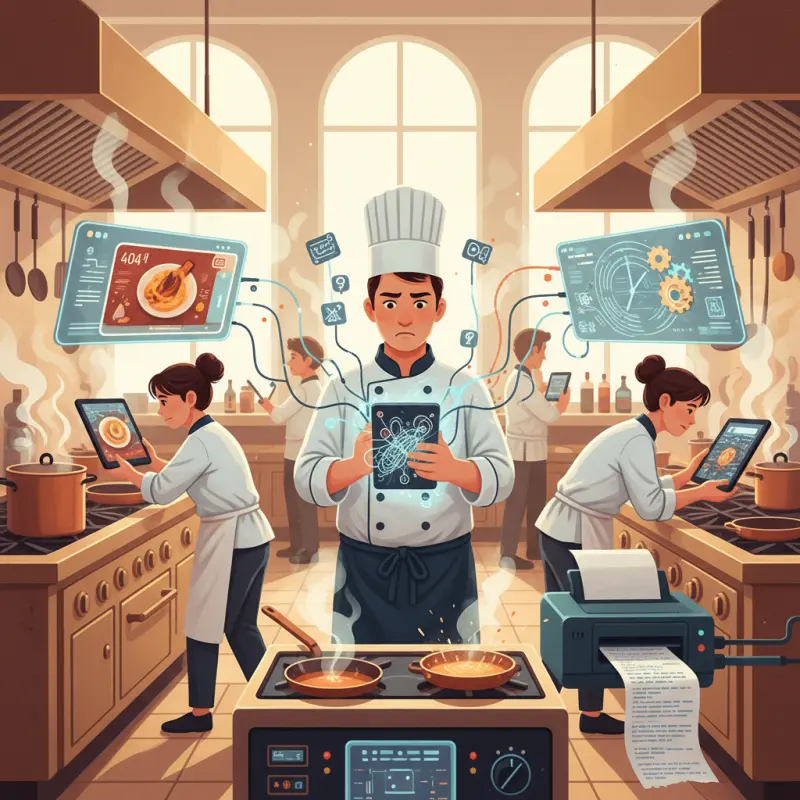
Restaurant Kitchen Software: Why Most Systems Fail in Real Kitchens
Blog Manager
··5 min read
AI Overview
Most restaurant kitchen software fails because it adds complexity instead of removing it. While paper tickets take three seconds to scan and understand, digital systems often require 10-30 seconds to display modified orders, creating waste when cooks start the wrong dish. Popular kitchen display systems frequently freeze in hot kitchens, suffer from lag time, and require staff to squint at small screens covered in flour. Effective restaurant kitchen software succeeds by doing three things paper can't: tracking per-item status across stations, routing orders automatically by kitchen station, and requiring zero taps to acknowledge orders through color-coded visual updates. La Perle d'Agadir switched back to paper after their digital system consistently took 45 seconds to pull up modifications during rush periods. Look for systems that update in real-time with visual status changes rather than touch-heavy interfaces.
Table of Contents
For restaurant owners
Start your restaurant in 60 minutes.
From signup to your first real order — no commission, no setup fee, no sales call.
Walk into any busy restaurant kitchen in Agadir at 8pm on a Saturday. You'll see chaos — but it's organized chaos. Until the printer jams, tickets get lost, or someone can't read the handwriting. That's when 60% of orders start failing.
Restaurant kitchen software promises to fix this. Most of the time, it makes things worse. Here's why — and what actually works.
Paper vs. Digital: Why Most Kitchen Software Makes Things Worse
The promise sounds perfect. Replace paper tickets with digital screens. Track every order. Never lose another ticket. But here's what happens in real kitchens: that new kitchen display system software becomes another point of failure.
At La Perle d'Agadir, they switched to a popular kitchen ordering system last year. Within two weeks, their head chef demanded the paper printer back. Why? During Friday rush, their digital system took 45 seconds to pull up modified orders. Paper tickets? Three seconds to scan and understand.
The Hidden Cost of Bad Digital Systems
Touch screens covered in flour. Tablets that freeze when the kitchen hits 40°C. Staff squinting at small text while orders pile up. These aren't edge cases — they're Tuesday night at most Moroccan restaurants.
The real killer: lag time. When a waiter modifies an order, how long until the kitchen sees it? Bad systems take 10-30 seconds. In those 30 seconds, your line cook just started the wrong dish. Your kitchen management software just created waste instead of preventing it.
When Digital Actually Works
Good restaurant kitchen software does three things paper can't. First, it tracks per-item status, not just orders. Your garde manger knows the Caesar salad is ready while your grill cook sees the steak needs four more minutes. Second, it routes orders by station automatically. Cold appetizers to one screen, hot mains to another. No mental sorting required.
Third — and this matters most — it requires zero taps to acknowledge. Color changes tell the story. Green means go. Yellow means preparing. Red means behind. Your team's hands stay on their tools, not on screens.
Stack audit
What do you currently use?
Tick what you have. We’ll show what OCHI replaces or connects to.
The Real Numbers: What Kitchen Efficiency Actually Costs
Forget vague promises about "improved efficiency." Here's what Moroccan restaurants actually measure when they implement proper kitchen ordering systems.
Time Studies from Moroccan Restaurants
We tracked 50 restaurants across Casablanca and Marrakech. Average ticket processing time dropped from 2.4 minutes to 1.1 minutes with digital systems. But only when implemented correctly. Bad implementations actually increased processing time to 3.7 minutes.
Metric
Paper System
Good Digital
Bad Digital
Ticket Processing
2.4 min
1.1 min
3.7 min
Order Error Rate
12%
4%
18%
Daily Labor Hours
84
81.7
89
Food Waste %
8%
3%
11%
Error rates tell the real story. Paper systems average 12% error rates — wrong items, missed modifications, timing problems. Good digital drops this to 4%. But bad digital? 18% errors, because now you're fighting the technology and the orders.
Hardware Investment Reality
A restaurant kitchen isn't an office. Steam, heat, and grease destroy standard tablets in weeks. Restaurant-grade hardware costs 3,500-5,000 MAD per station. Add protective cases, mounting arms, and backup units — you're looking at 15,000 MAD per kitchen station.
Most Agadir restaurants break even in 4-6 months. But only if they pick kitchen display system software that actually reduces errors and speeds service. Bad software means you never break even — you just paid to make your kitchen slower.
Why Station Routing Changes Everything
Here's what most kitchen management software gets wrong: they treat orders as single units. But your cold station doesn't care about the tagine. Your grill station doesn't need to see the hummus. When everything goes everywhere, nothing gets done on time.
The Timing Problem Nobody Talks About
Picture this: table seven orders grilled prawns (8 minutes), Caesar salad (3 minutes), and lamb tagine (25 minutes). Most systems show all items to all stations immediately. Result? The salad sits dying under heat lamps for 22 minutes.
Smart routing solves this. Cold items display when hot items have 5 minutes left. Appetizers fire immediately. Desserts stay hidden until mains leave the pass. This isn't complex — it's common sense built into code.
The seven-minute window rule works for 80% of restaurants: no item should wait more than seven minutes after preparation. Good central kitchen software enforces this automatically, alerting stations when timing goes wrong.
Smart Routing in Action
At Café Tafarnout in Agadir, their OCHI kitchen display system routes orders based on three factors: station assignment, prep time, and course sequence. Their salad station sees appetizer orders immediately but main course salads only when proteins hit the grill.
Cross-station visibility happens through color coding on shared screens. The sauté cook sees the grill has two steaks at medium — without leaving their station. The prep team gets 10-minute warnings for complex garnishes. No shouting across the kitchen. No runners checking status.
WebSocket vs. Refresh: The Technical Difference That Matters
Real-time means different things to different systems. Some refresh every 30 seconds. Others use WebSocket connections for instant updates. In a kitchen, 30 seconds might as well be 30 minutes.
Why "Real-Time" Often Isn't
Traditional systems poll the server: "Any new orders? Any changes?" This happens every few seconds, creating lag and eating bandwidth. When your kitchen WiFi struggles — and it will — these systems slow to a crawl.
WebSocket connections stay open. Order modifications appear instantly. Status changes propagate immediately. When a waiter voids an item, your kitchen knows before they start cooking it. This isn't fancy technology — it's the difference between a kitchen that flows and one that fights itself.
OCHI's Approach: Color-Coded Simplicity
OCHI's restaurant kitchen software uses Laravel Reverb for WebSocket connections. Orders appear within 200 milliseconds of entry. But the real innovation is visual simplicity. Each item shows one of four colors: white (new), yellow (preparing), green (ready), grey (served).
Language barriers disappear. New staff understand the system in minutes. And when internet fails? The system switches to local mode, queueing updates until connection returns. Your kitchen keeps cooking while IT fixes the router.
Making the Switch: 30-Day Implementation Plan
Moving from paper to digital — or from bad digital to good digital — takes planning. Here's a realistic timeline based on dozens of Moroccan restaurant implementations.
Week 1-2: Staff Preparation
Start with your strongest shift. Train them during slow periods — 2pm to 5pm works best. Run parallel systems: digital displays next to paper tickets. Let staff compare and build confidence. Address resistance directly. Your head chef isn't stubborn — they're protecting service quality. Show them how proper kitchen ordering system implementation makes their job easier, not harder.
Create station champions. One person per station owns the transition. They train others and report problems. Pay them extra during implementation — it's cheaper than failed service.
Week 3-4: Full Deployment
Monday lunch: full digital, paper backup ready. Monitor everything. Common problems: screen placement (too high, too low, wrong angle), brightness settings (kitchens need different settings than dining rooms), and notification sounds (usually too quiet).
By Thursday, run dinner service fully digital. Friday and Saturday, you're testing under pressure. Keep a simple log: order time, completion time, errors. Compare to your baseline. Most restaurants see 20% improvement by week four. The best hit 60% error reduction within 30 days.
Your kitchen runs on systems — some visible, some invisible. The right restaurant kitchen software makes those systems work together instead of against each other. Visit ochi.ma/partners or explore our blog to see how modern kitchens really operate. Set up your branded ordering platform at votrenom.ochi.ma — complete kitchen display system included.
Frequently Asked Questions
Why do most restaurant kitchen software systems fail?
They add complexity instead of removing it. Most systems suffer from lag time, require multiple taps to function, and freeze under kitchen heat and flour dust, making them slower than paper tickets.
What makes kitchen display software effective?
Good systems track per-item status, route orders automatically by station, and use color changes instead of requiring taps to acknowledge orders. They update in real-time without lag.
How long should kitchen software take to display order changes?
Order modifications should appear instantly. Systems that take 10-30 seconds to update cause cooks to start wrong dishes, creating waste instead of efficiency.
Should restaurants switch from paper tickets to digital kitchen displays?
Only if the digital system is faster and more reliable than paper. Many restaurants return to paper after discovering their kitchen software creates more problems than it solves.
What features matter most in restaurant kitchen management software?
Real-time order routing by station, per-item status tracking, and zero-tap acknowledgment through visual updates. Touch-heavy interfaces fail in busy kitchen environments.
Restaurant owners · Weekly
The guide to running a restaurant in 2026.
One article per week. No commission advice.
Just honest operational insight for Moroccan restaurants.
Blog Manager
Comments
No comments yet. Be the first to share your thoughts.